Simplifying Cooking with Spatial, Hands-Free Experience
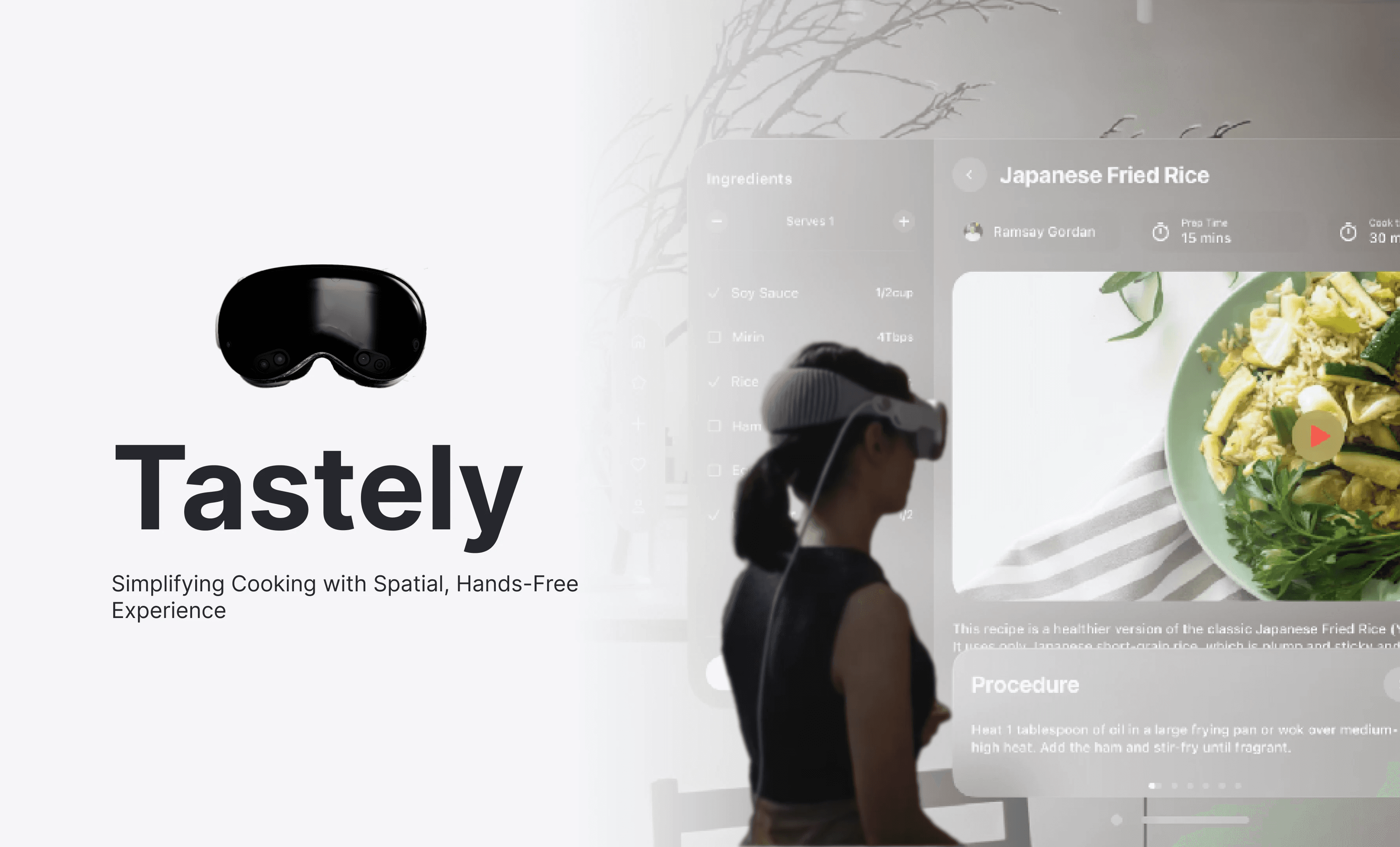
I led the UI/UX design for project, an innovative Apple Vision Pro application that redefines the cooking experience through spatial computing. The goal was to create an intuitive, hands-free interface, improves workflow efficiency, and makes cooking more immersive. By integrating gesture-based interactions and real-time assistance.
Platform
Apple Vision Pro
Skills
Product Design
UX Research
UI Design
Interaction Design
My Role
Design Lead
Timeline
3 Weeks
35%
Enhanced User Satisfaction
20%
Increased recipe success rate
60%
Hands-Free Efficiency
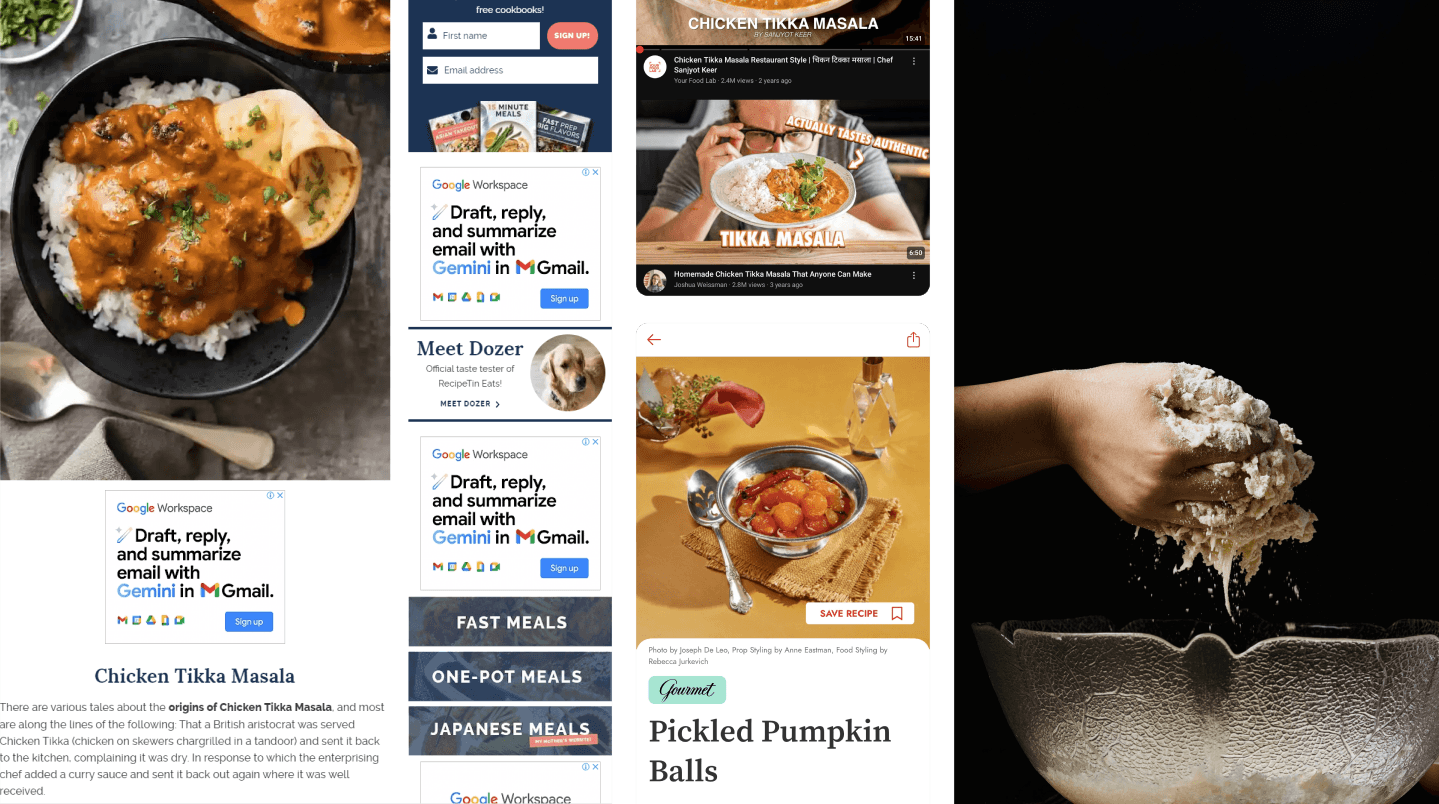
Traditional cooking apps rely heavily on touch interfaces, causing inconvenience when handling food. Users struggle with constant switching between screens, difficulty following step-by-step instructions, and a lack of interactive guidance. Tastely for Apple Vision Pro transforms the cooking experience by providing a hands-free, spatially aware solution, allowing users to explore, cook, and interact with recipes in a revolutionary way.
My Design Approach
My design approach for Tastely focused on creating an immersive spatial cooking experience tailored for the Apple Vision Pro. The goal was to enhance how users discover recipes, follow step-by-step cooking instructions, and engage with a community of food enthusiasts—all within an intuitive spatial interface.
Key Challenges in Digital Recipe Guides
Disruptive Workflow – Switching between devices mid-cooking is inconvenient.
Lack of Hands-Free Interaction – Touch-based navigation isn’t that practical in a kitchen.
Disengaging Experience – Traditional platforms lack interactivity and immersion.
Limited Guidance – Text-based recipes fail to provide real-time assistance.
Key Takeaway
Cooking should be an intuitive, hands-free, and immersive experience—not a series of interruptions.
Key Findings
Disruptive Workflow
Lack of Hands-Free Interaction
Disengaging Experience
Limited Guidance
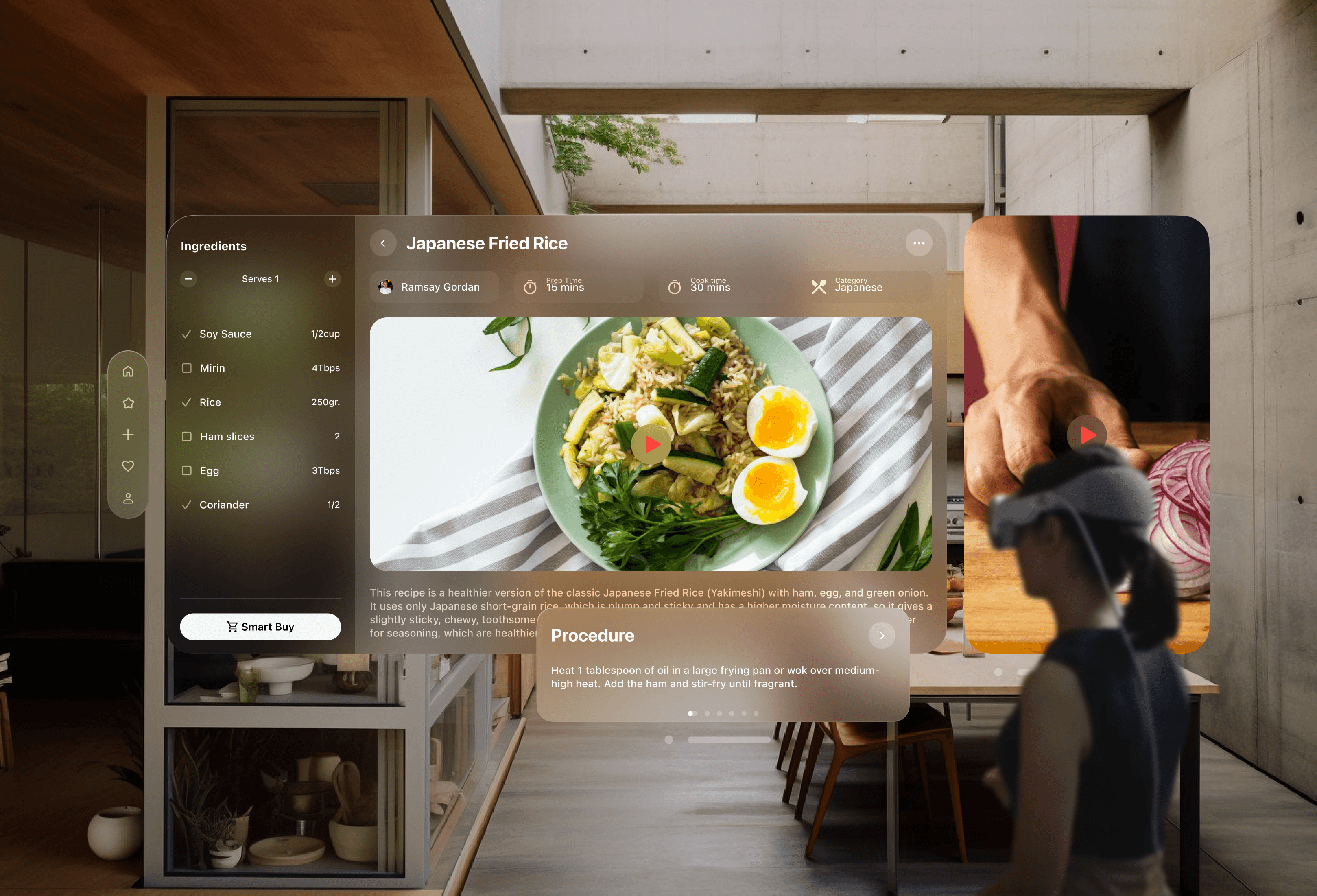
Tastely leverages spatial computing to create an immersive and hands-free cooking experience on the Apple Vision Pro. The app combines intuitive gesture-based interactions with AR-guided recipe steps, making cooking more engaging and effortless.
Key Features
Gesture & Voice Control – Navigate recipes without touching a screen.
Adaptive Recipe Assistance – Adjusts cooking steps based on real-time user progress.
Multisensory Engagement – Visual, auditory, and haptic feedback for a fully immersive experience.
Beyond its spatial capabilities, Tastely also introduces quality-of-life features to simplify and enhance the Experience
Smart Substitutions – Automatically suggests alternative ingredients based on dietary preferences, availability, or allergies.
Smart Buy – Seamlessly integrates with grocery platforms to add missing ingredients to your cart with a single tap.
Smart Appliances – Syncs with IoT-enabled kitchen devices to adjust cooking settings in real time.
SideChef AI – A personal cooking assistant providing real-time guidance, step adjustments, and voice-controlled recipe modifications.
Why it Matters?
Tastely is more than just a cooking app—it’s a personalized, intelligent, and hands-free kitchen assistant that makes cooking easier, smarter, and more enjoyable. By merging spatial technology with smart integrations, it offers a futuristic yet practical way to enhance everyday cooking experiences.
design process
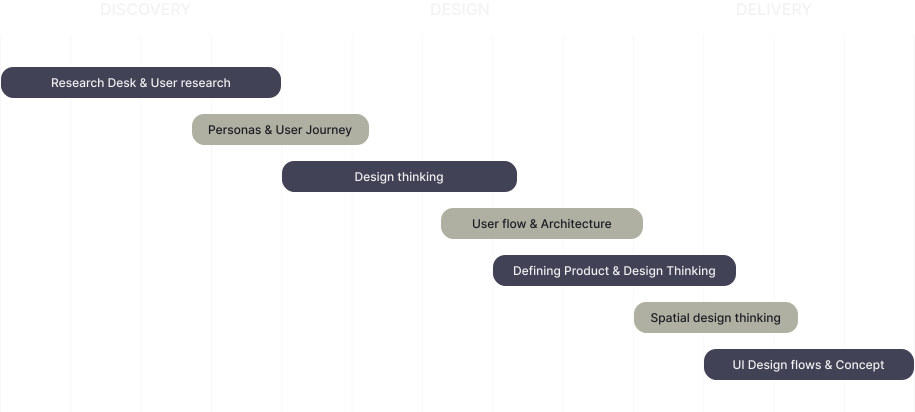
Following the design processes doesn't just give users an intuitive and pleasurable experience - it poses an opportunity for designers to iterate and improve their designs.
I conducted a thorough information from a manager within the industry. The goal was to identify pain points and design a seamless, transparent, and User-friendly Platform.
Primary Research
10 Cooking Enthusiasts Surveyed
52% – find traditional digital recipe formats disruptive.
65% – frustrated with constantly touching screen while cooking.
70% – showed strong interest in spatial cooking experiences.
Secondary Research
The digital cooking app market is growing at 8.3% CAGR.
Trends
AR & VR adoption in home experiences.
Rising demand for personalized cooking guidance.
While traditional recipe apps offer a wealth of information, they often lack in user experience.
Key challenges include
Difficult Interaction - Navigating recipes is hard with messy hands.
No Personalization - Doesn't adapt to dietary needs, skills, or tastes.
No Real-Time Guidance - Lacks step-by-step visual support while cooking.
I establish the essential design goals & key features based on the research data gathered from my interview & research analyses. These will become my focus points when planning the designs for this project.
Defining the Ideal User
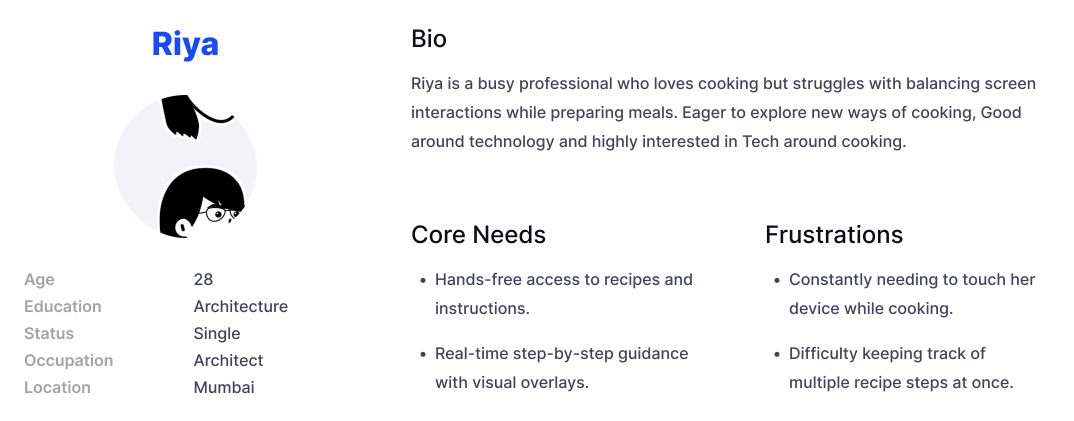
User Persona
I created a user persona to represent the ideal cooking user, based on insights. By synthesizing this data, the persona reflects user preferences, challenges, and behaviors, ensuring a more focused and effective design solution.
Mapping the User Expierence
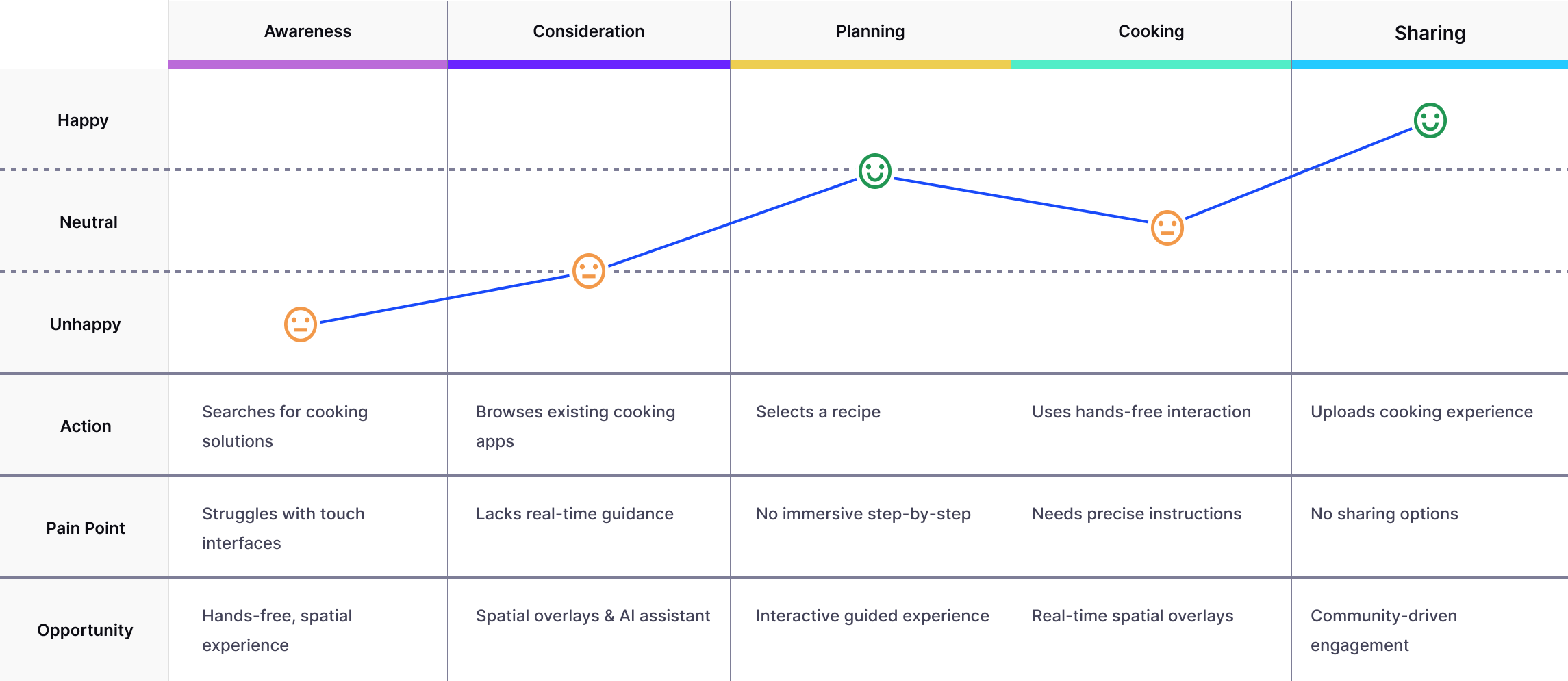
User Journey
I mapped how user navigate cooking recipe, identifying pain points and emotional highs and lows. This helped refine the design for better usability, trust, and overall experience.
I organized data gathering methods according to user requirements, logically arranging services to guarantee fluent procedures. Through efficient data arrangement, we provided seamless exchanges and user-friendly maneuvering.
Thinking Process
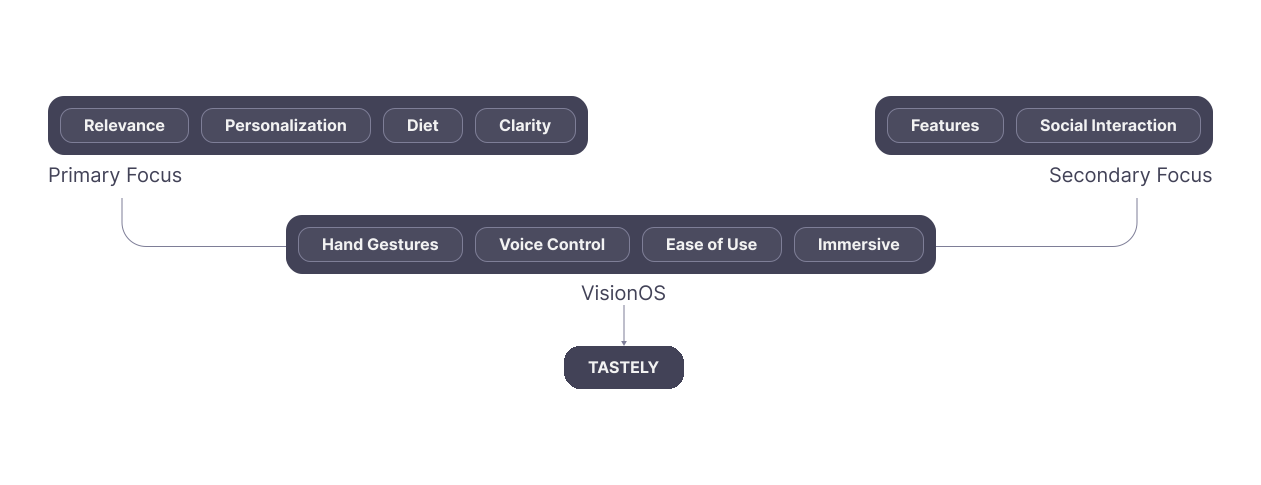
Primary focus
Personalized Discovery - AI filters recipes by diet, taste, and skill level.
Curated Recommendations - Get personalized recipe suggestions.
Crystal-Clear Instructions - Step-by-step visuals for easy cooking.
Dietary Flexibility - AI adapts to allergies and restrictions.
secondary focus
Social Cooking - Share recipes, join discussions, and take on challenges.
Smart Shopping - Buy ingredients directly from the recipe list.
Appliance Integration - Sync with smart devices for guided cooking.
AI Assistance - Get tips, troubleshoot, and ask cooking questions.
Predicting the Flow
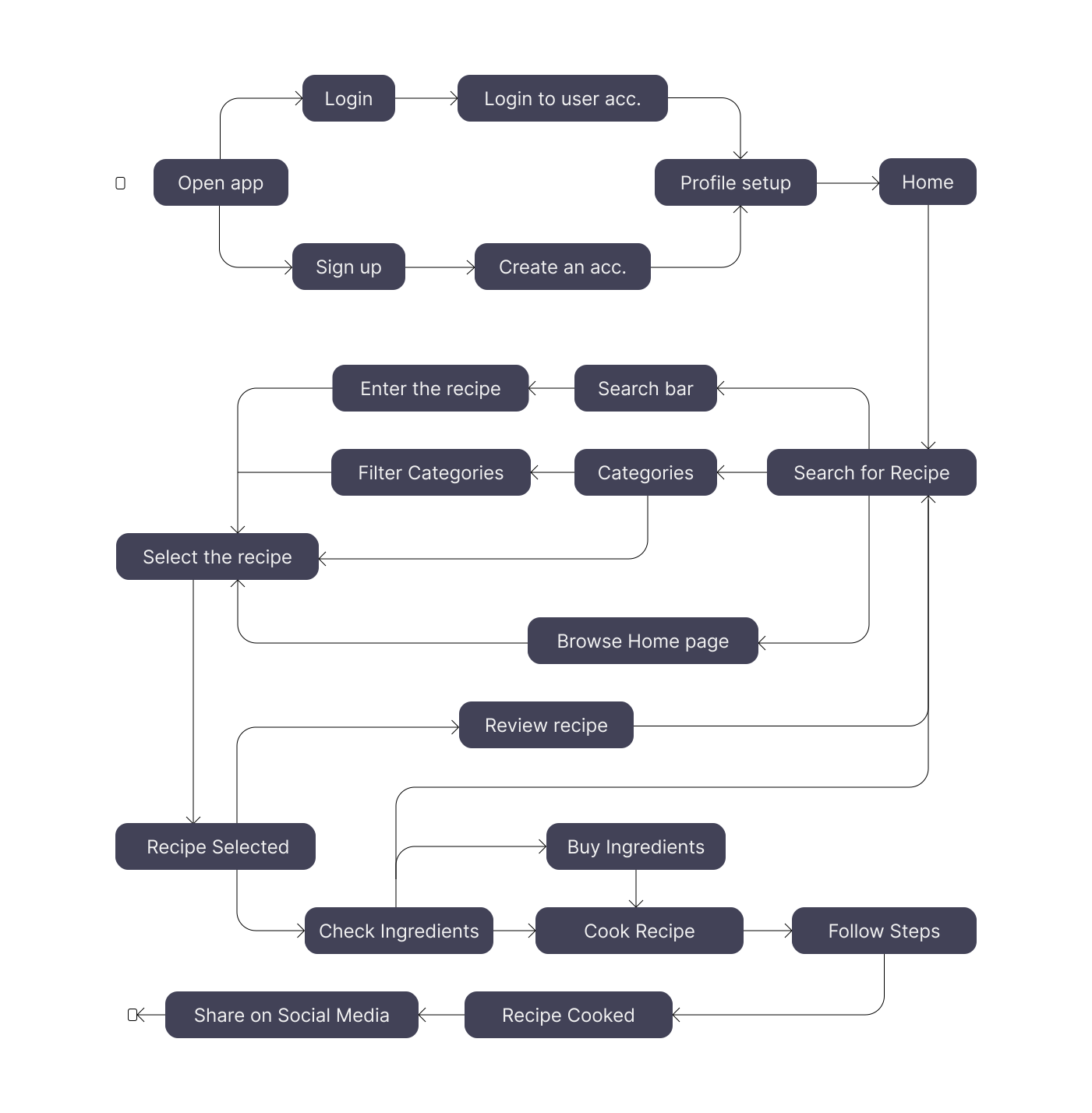
Task Flow
Starting from the onboarding screen I created a User Task Flow-Chart that illustrates the various Task paths a user may take to cook a recipe. It was important to define & clarify the many task flows users can take to create & post their dream journal entries.
Creating a Blueprint
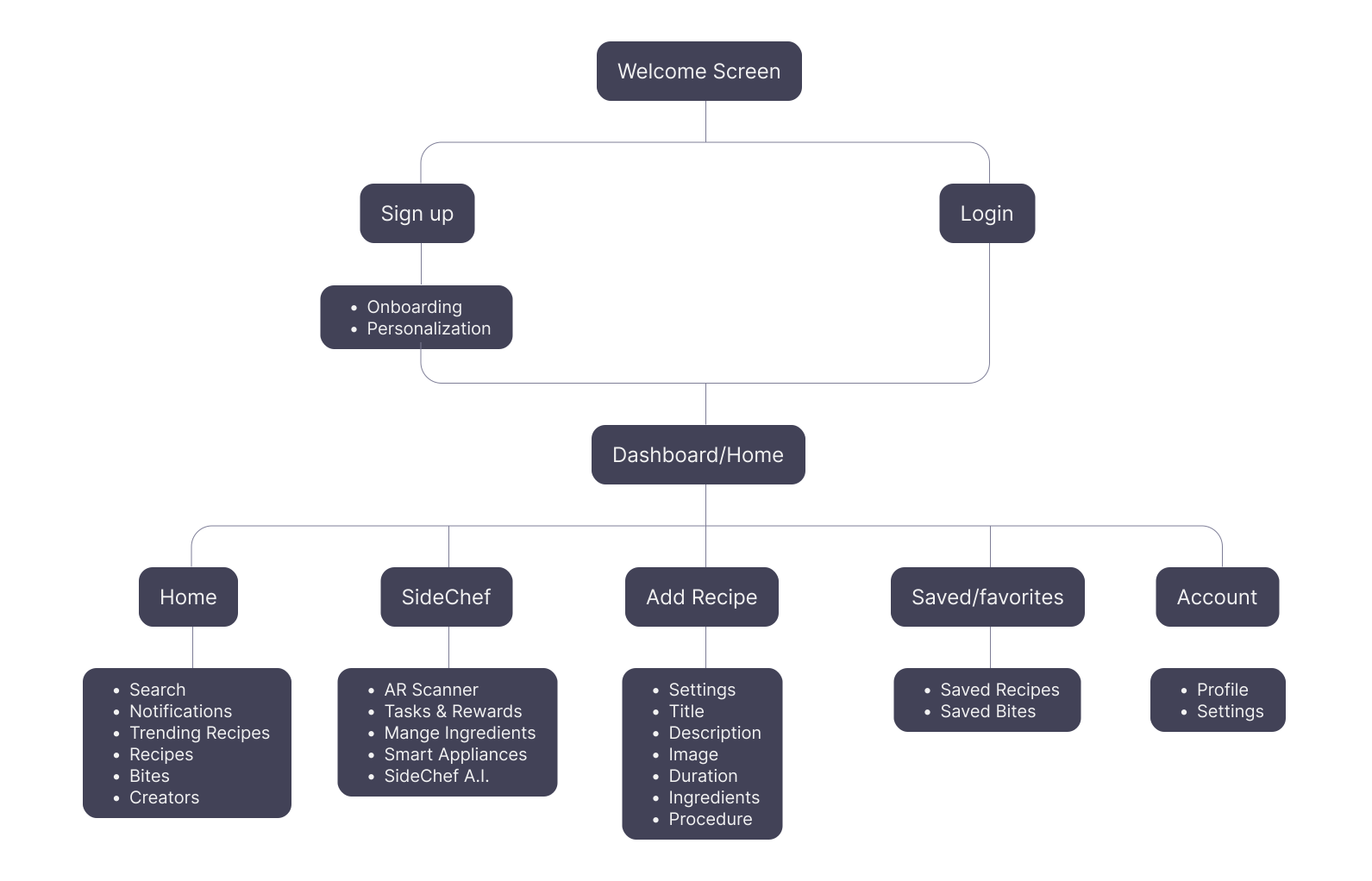
Site Map
Based on the key features I mapped out where the main information & others should be located on the platform & how they need to be connected.
design Goal
Simple
Clean out the Clutter, and help users complete their task
Immersive
Spatial Experience with Integrated Recipes & Step-by-Step Guidance.
Gestures
Enable intuitive, hands-free control using natural hand gestures
The experience review helped us define our focus areas for creating this newly platform.
From Iterations – High Fidelities – Final Screens
Style Guide

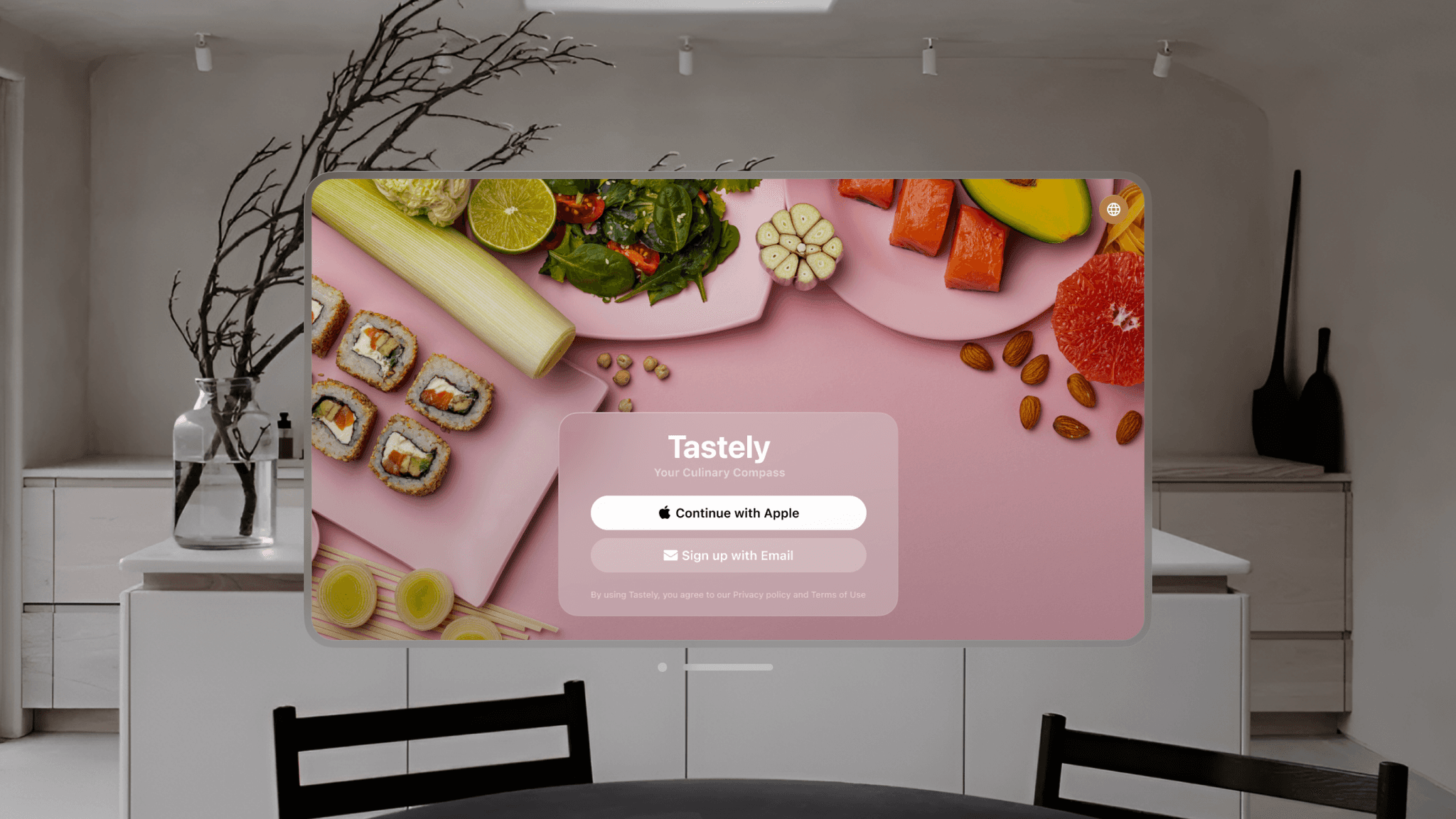
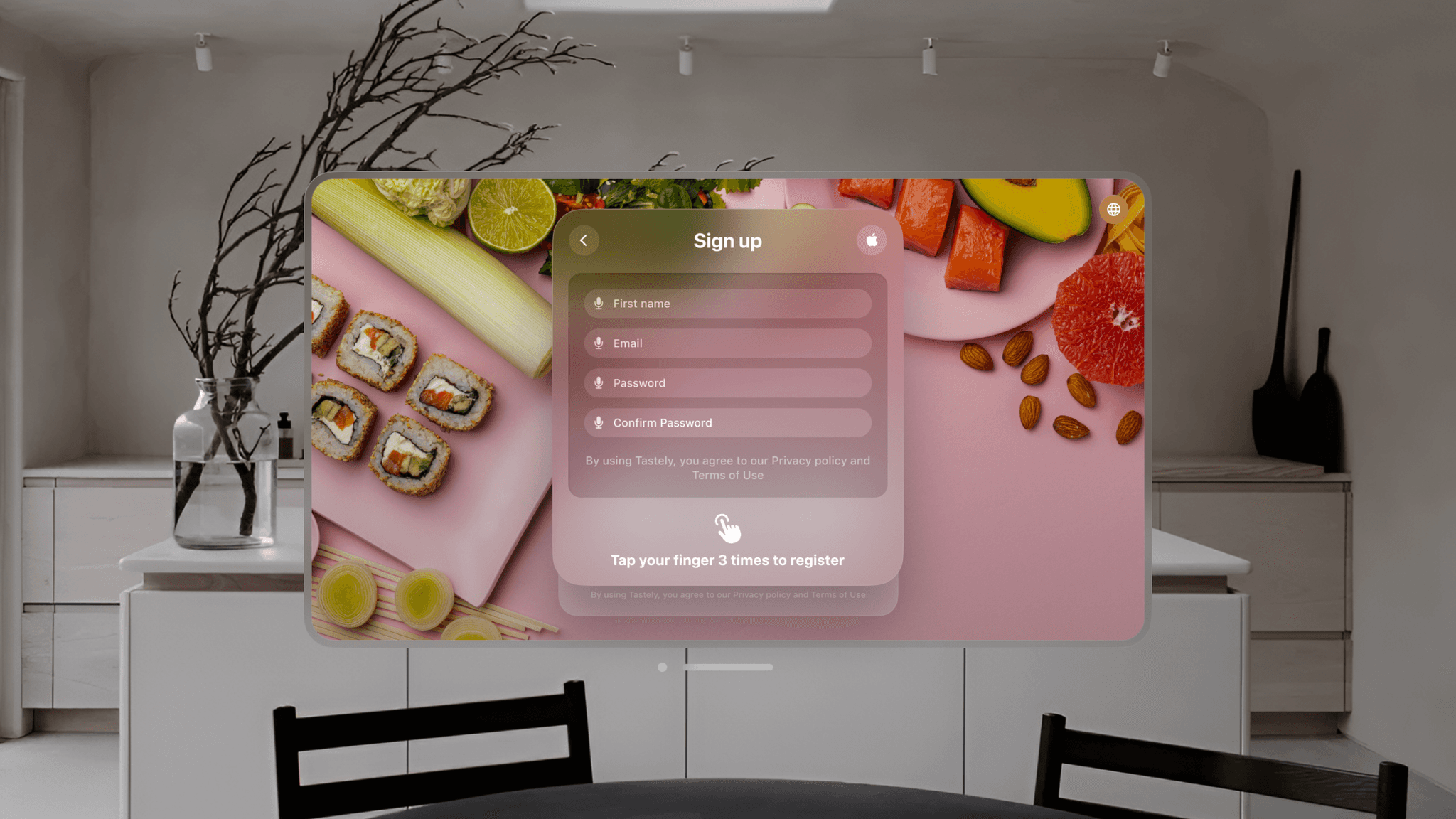
At the top right corner, you’ll find the language selector. It’s better to choose your preferred language right from the beginning rather than searching for it deep within the settings Combining voice controls and hand gestures can significantly enhance ease of use and accessibility in various contexts.
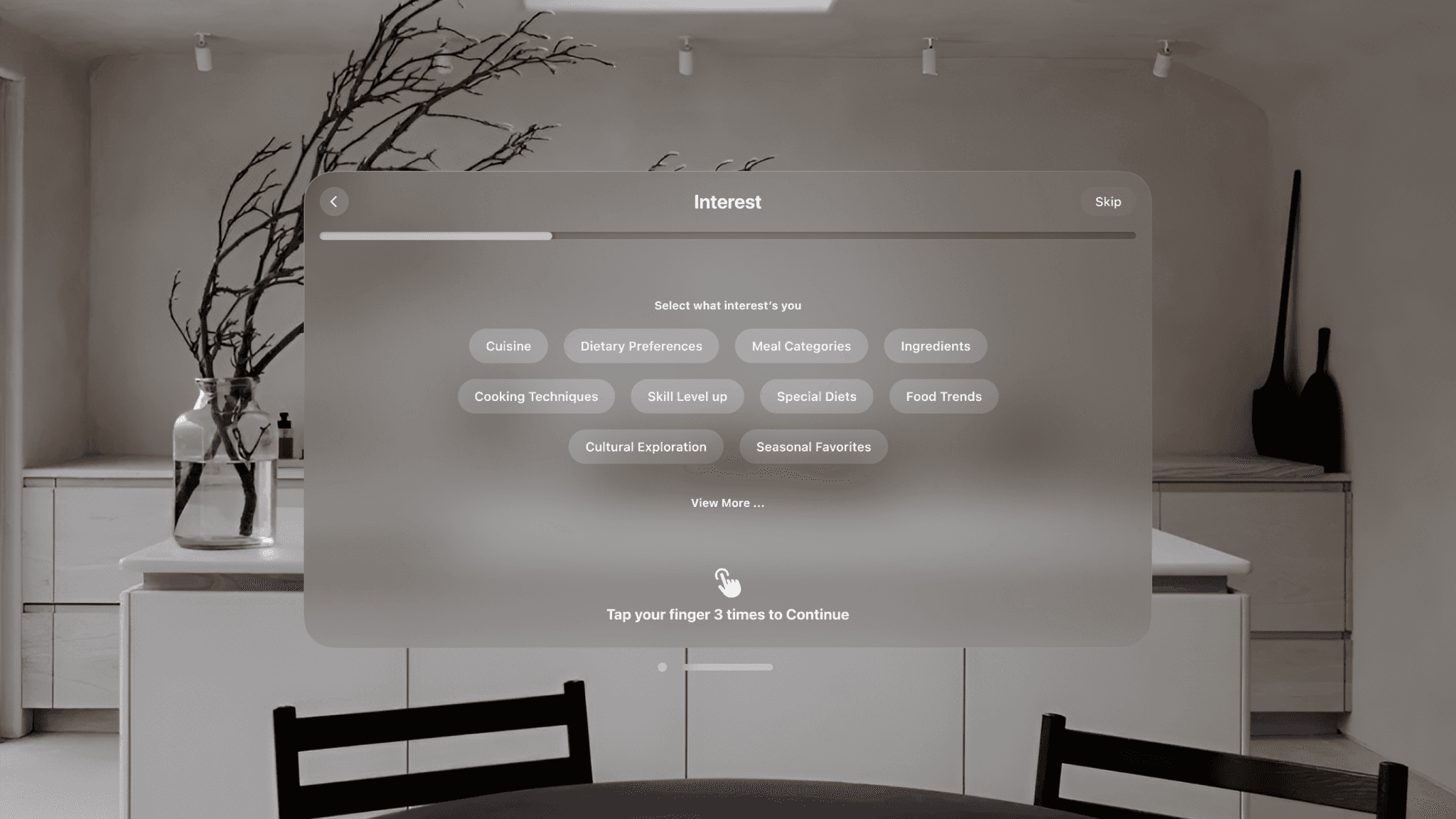
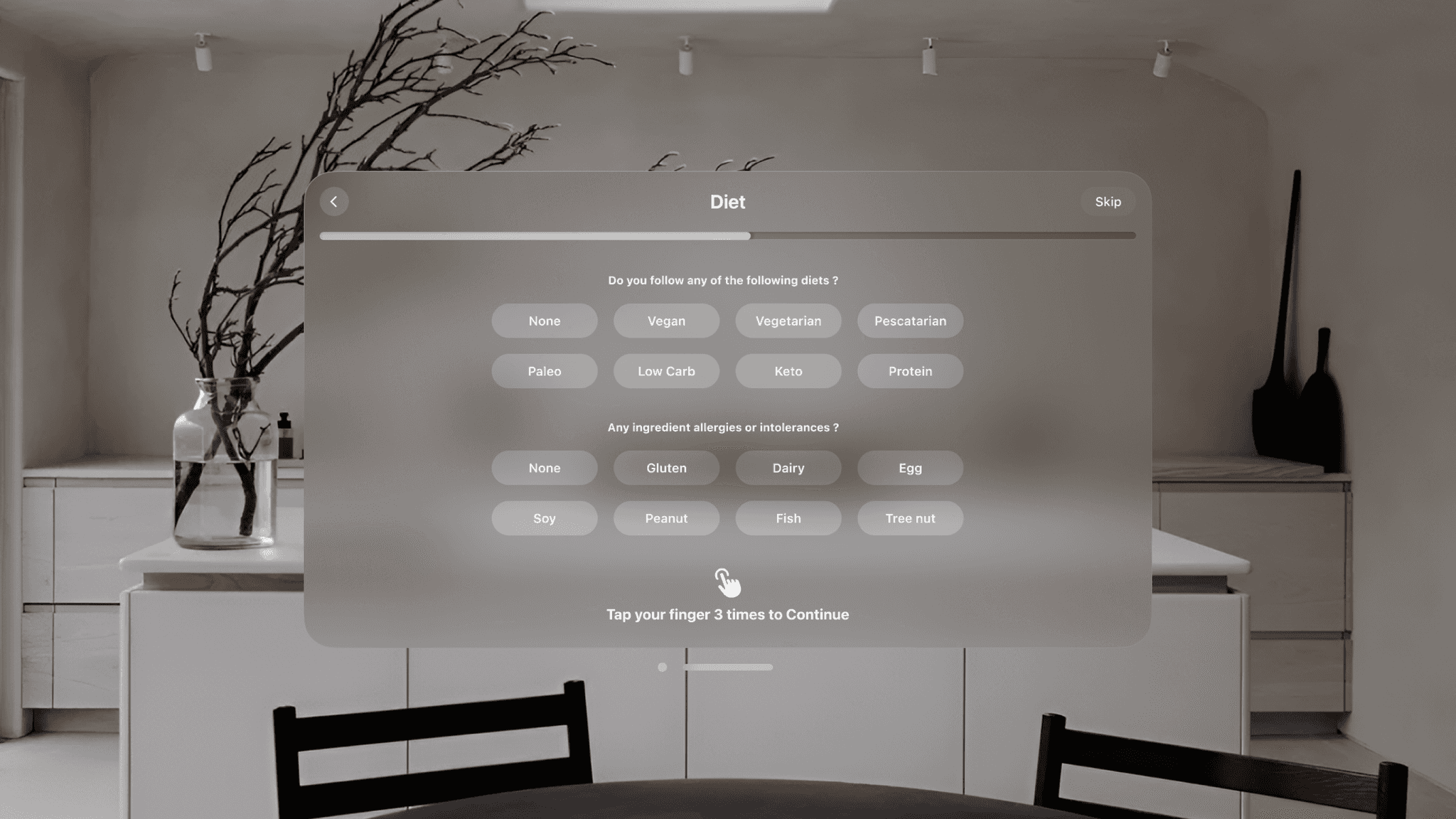
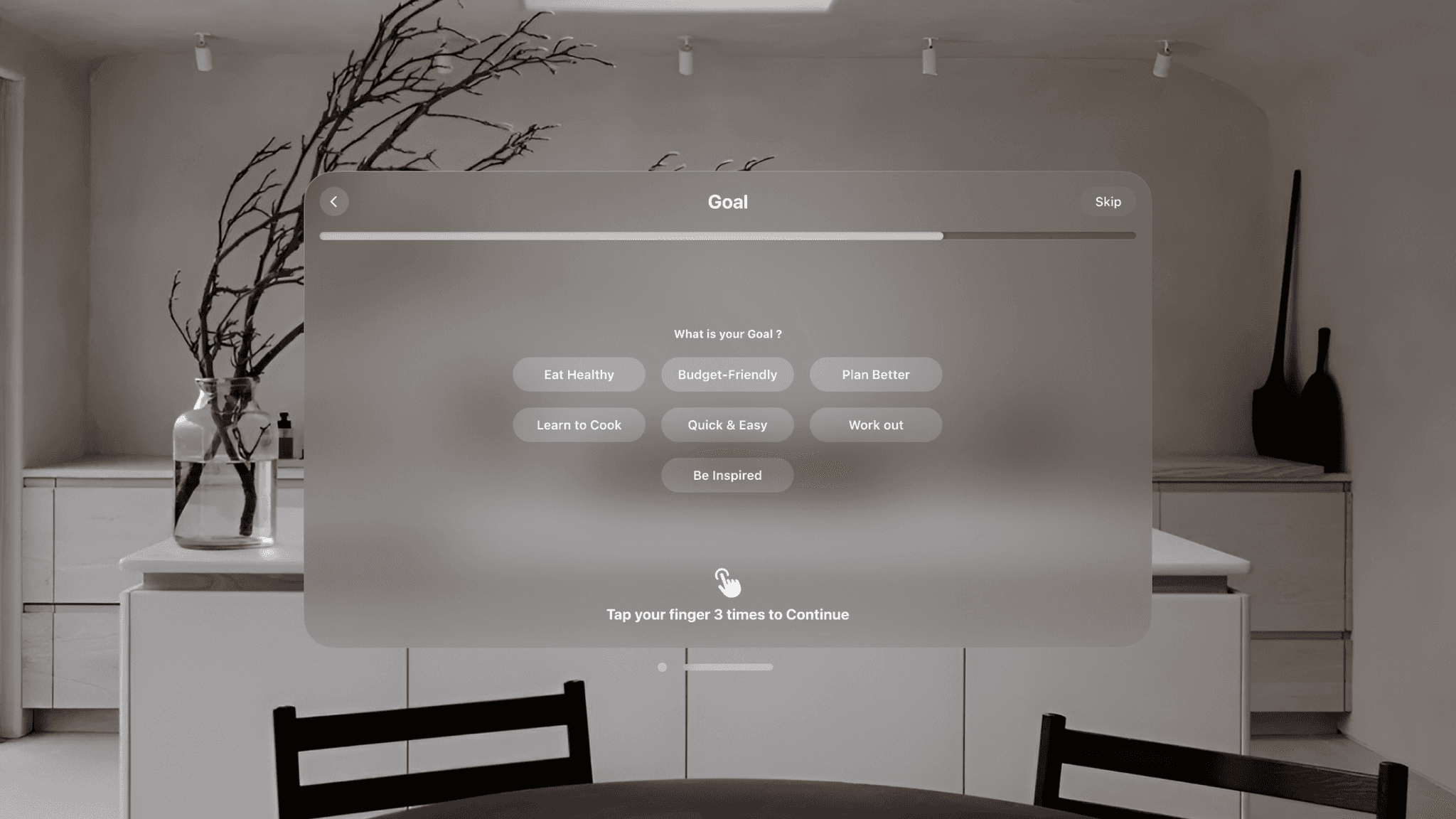
Understanding users’ preferences, goals, and interests further helps tailor and cater to their personalities.
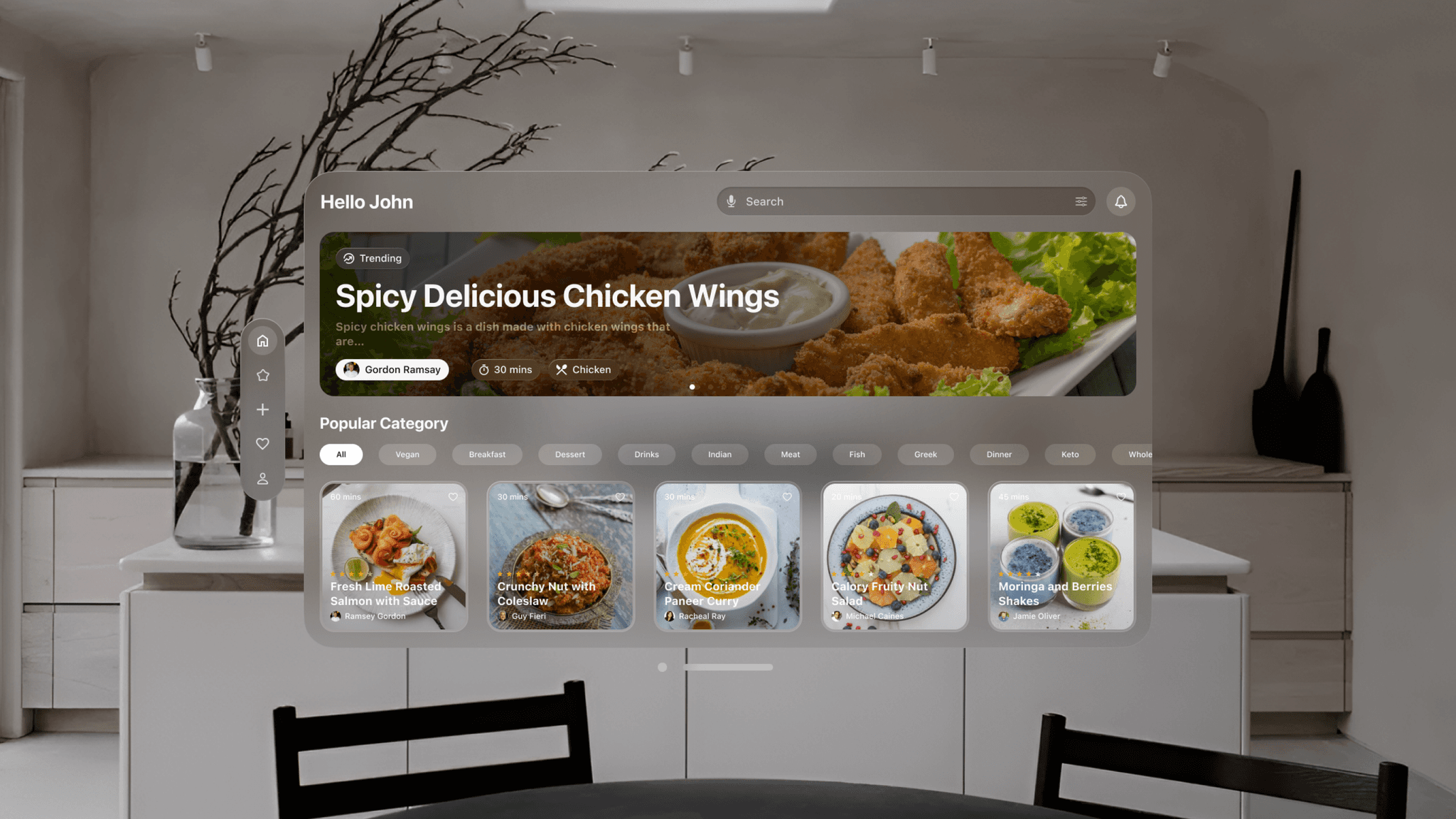
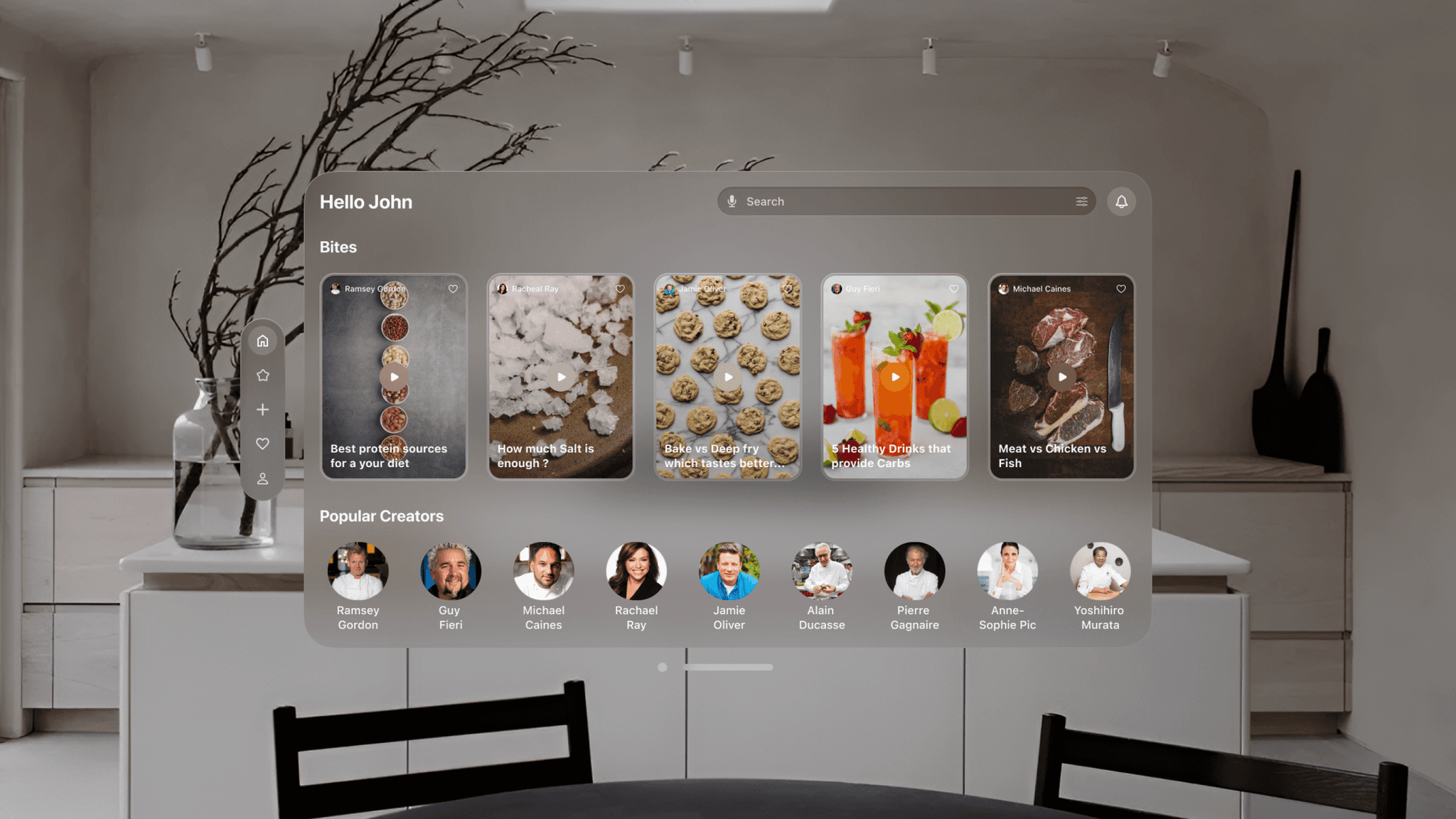
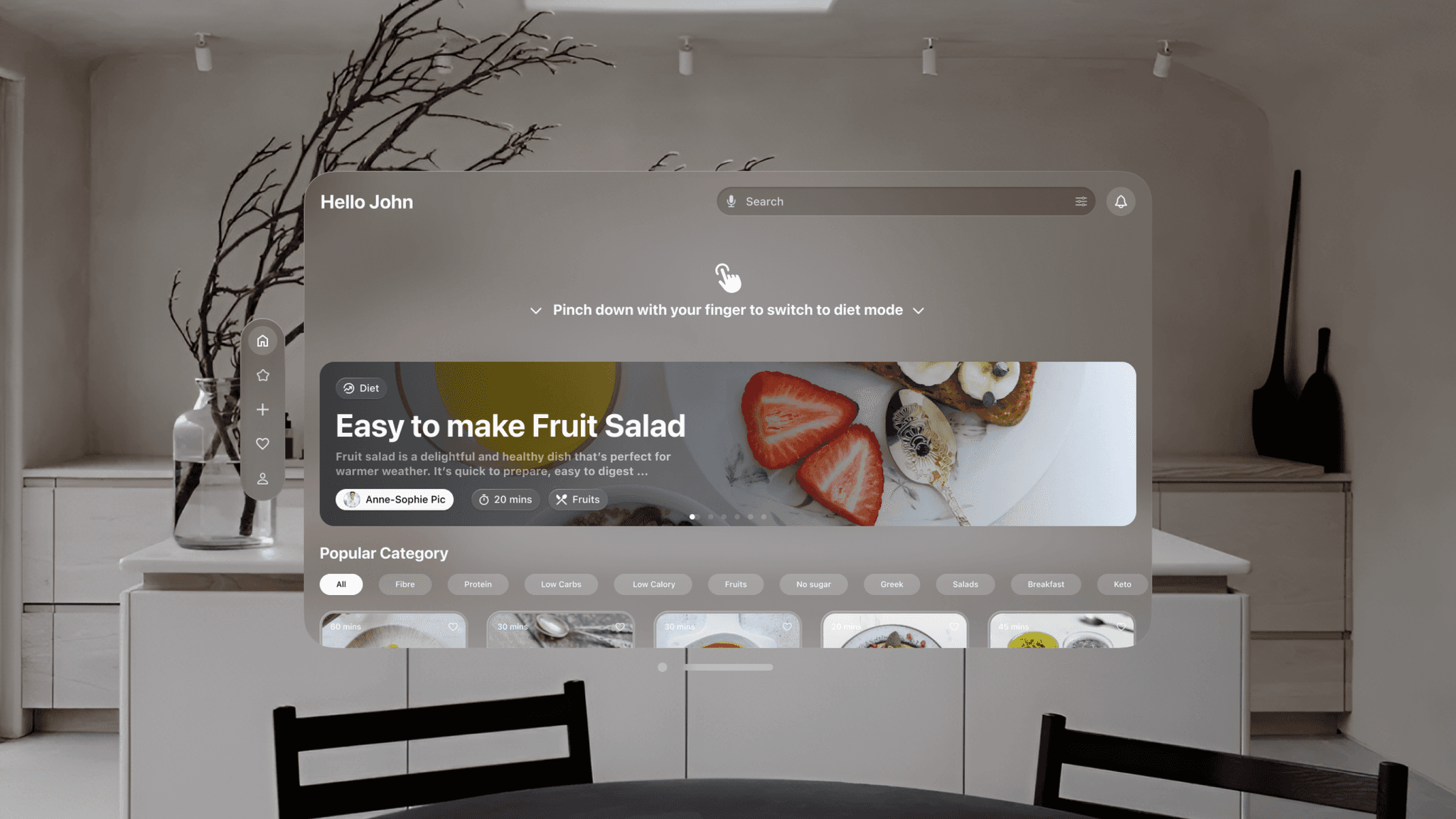
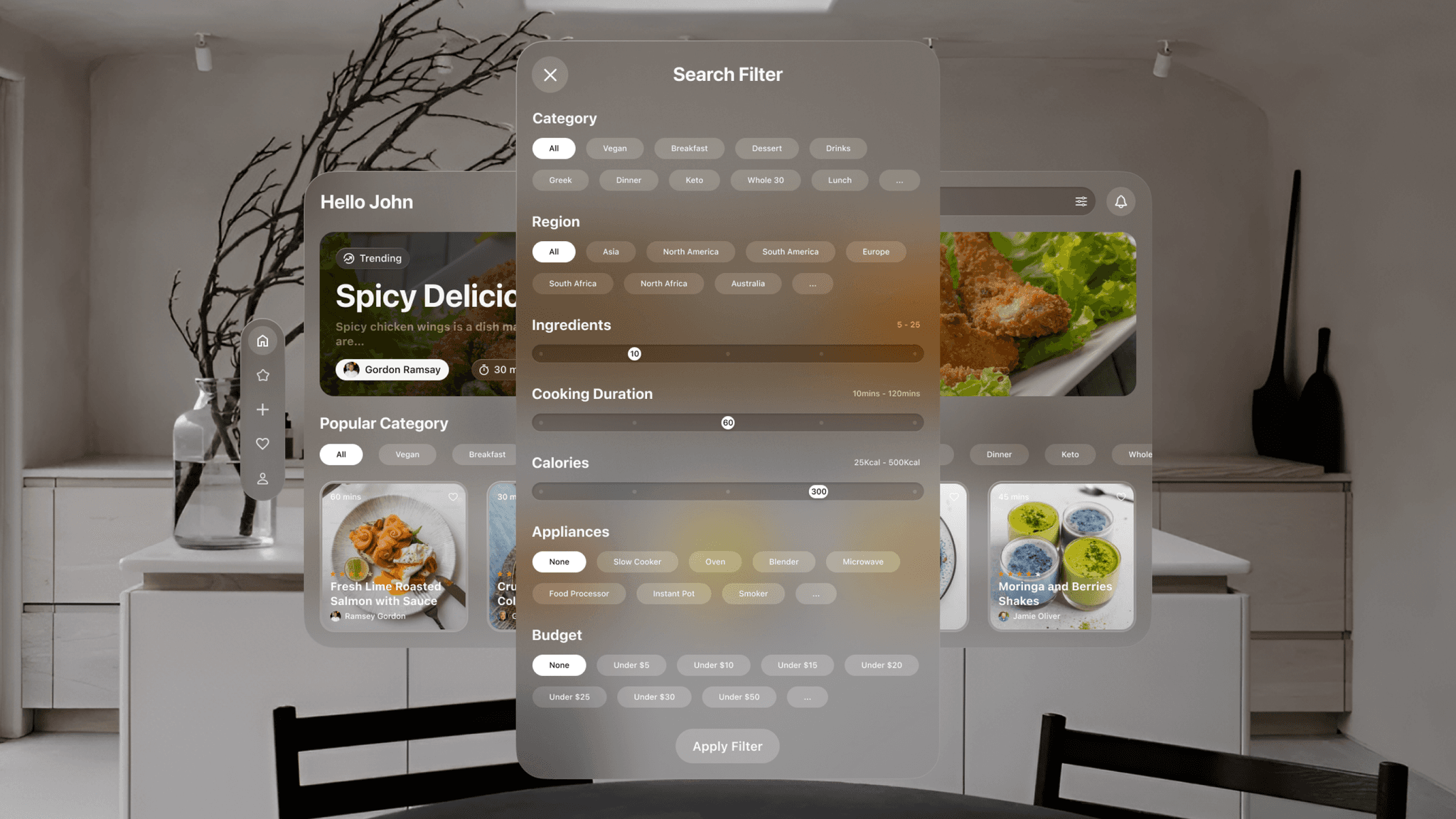
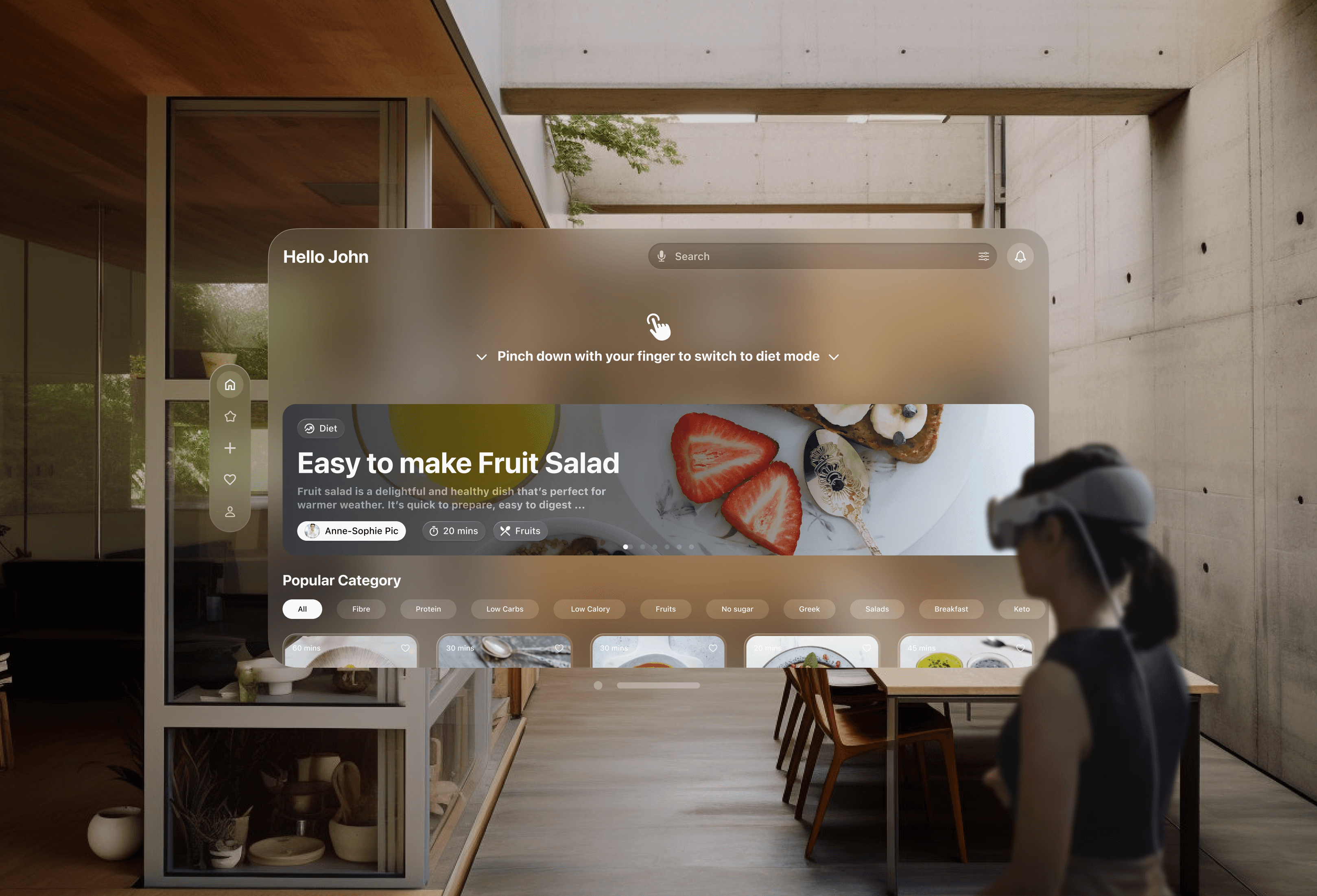
The Tastely home window is the central hub for users, offering notifications, search, trending recipes, popular creators, and bite-sized videos. Users can activate diet mode with a pinch gesture, tailoring everything to their dietary preferences, from recipe recommendations to interface adjustments. The search feature has robust filtering options, allowing users to find exactly what they’re looking for by selecting categories, regions, ingredients, or cooking duration.
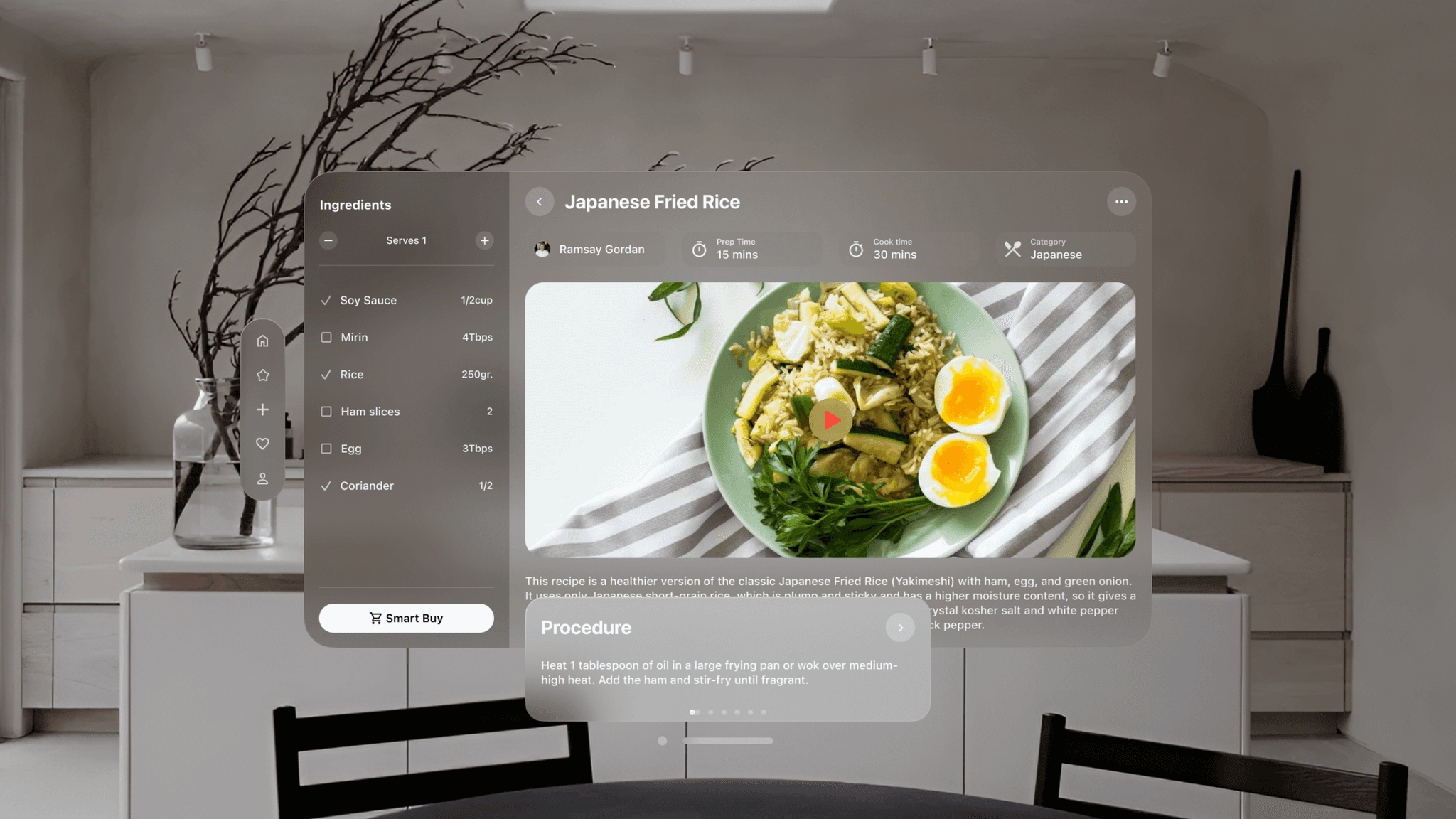
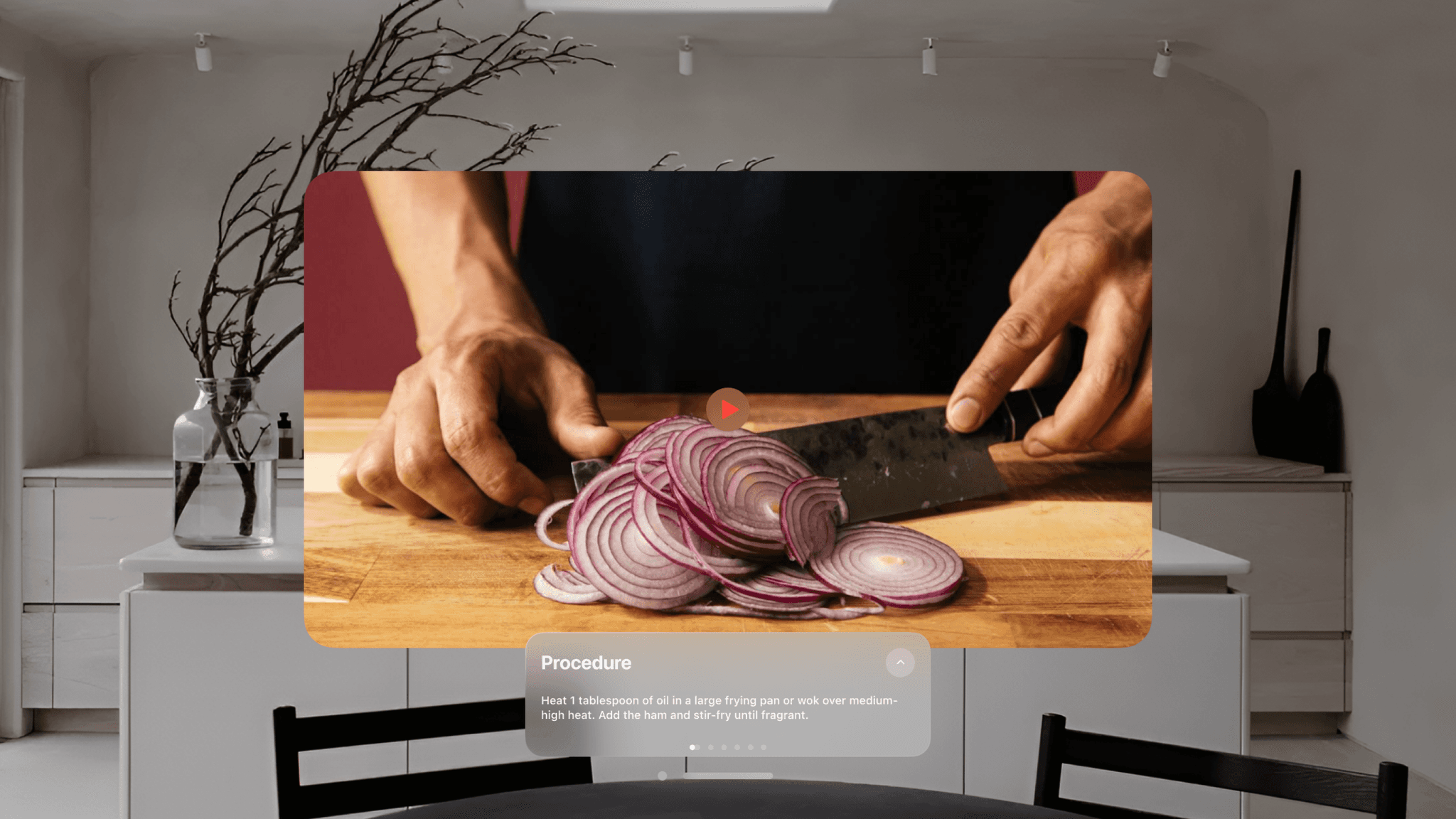
In the recipe or cooking section, users gain access to a wealth of features, including smart ingredient purchases and comprehensive nutritional information. Clear, easy-to-follow instructions guide users through the cooking process, while an immersive mode enhances understanding and engagement.
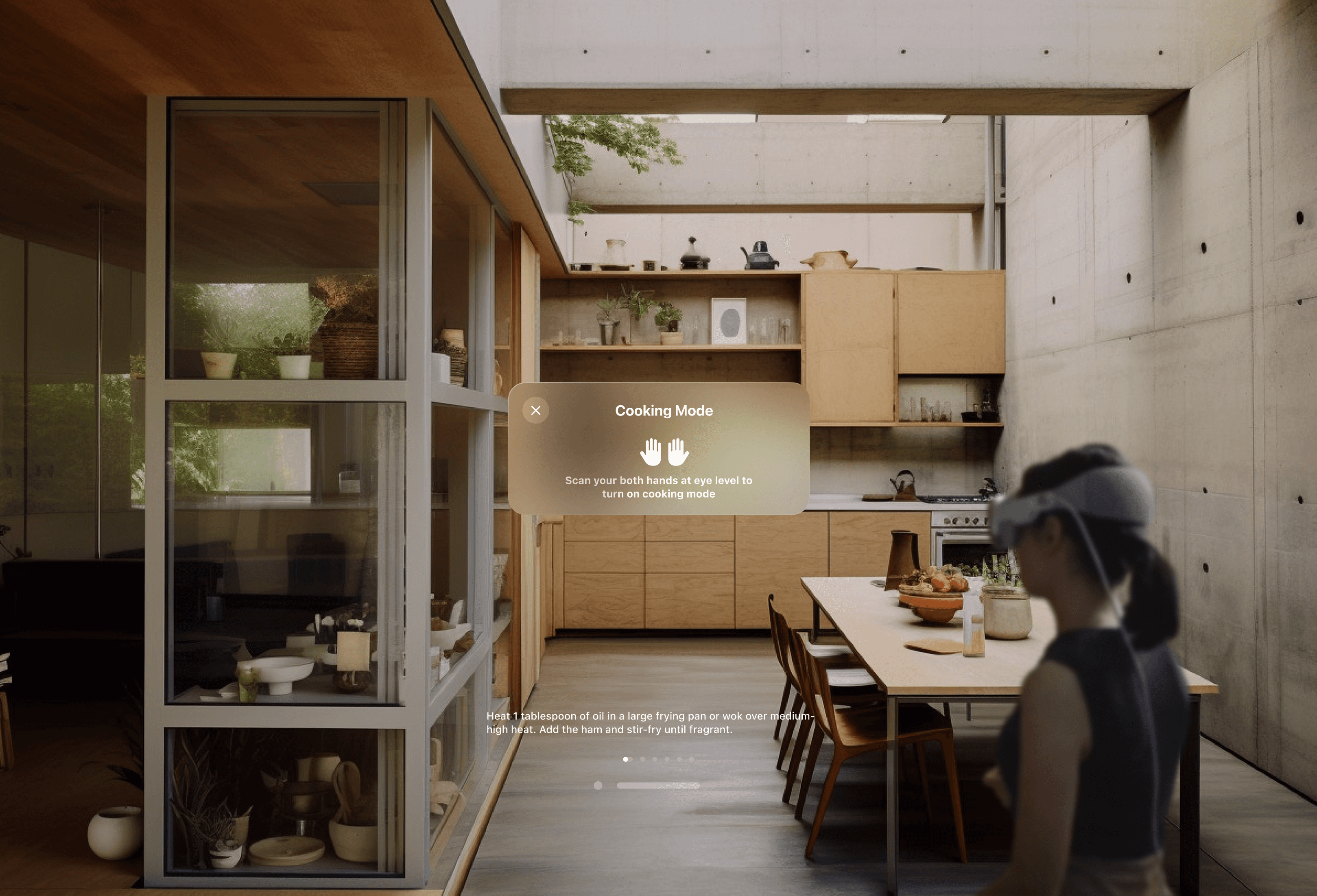
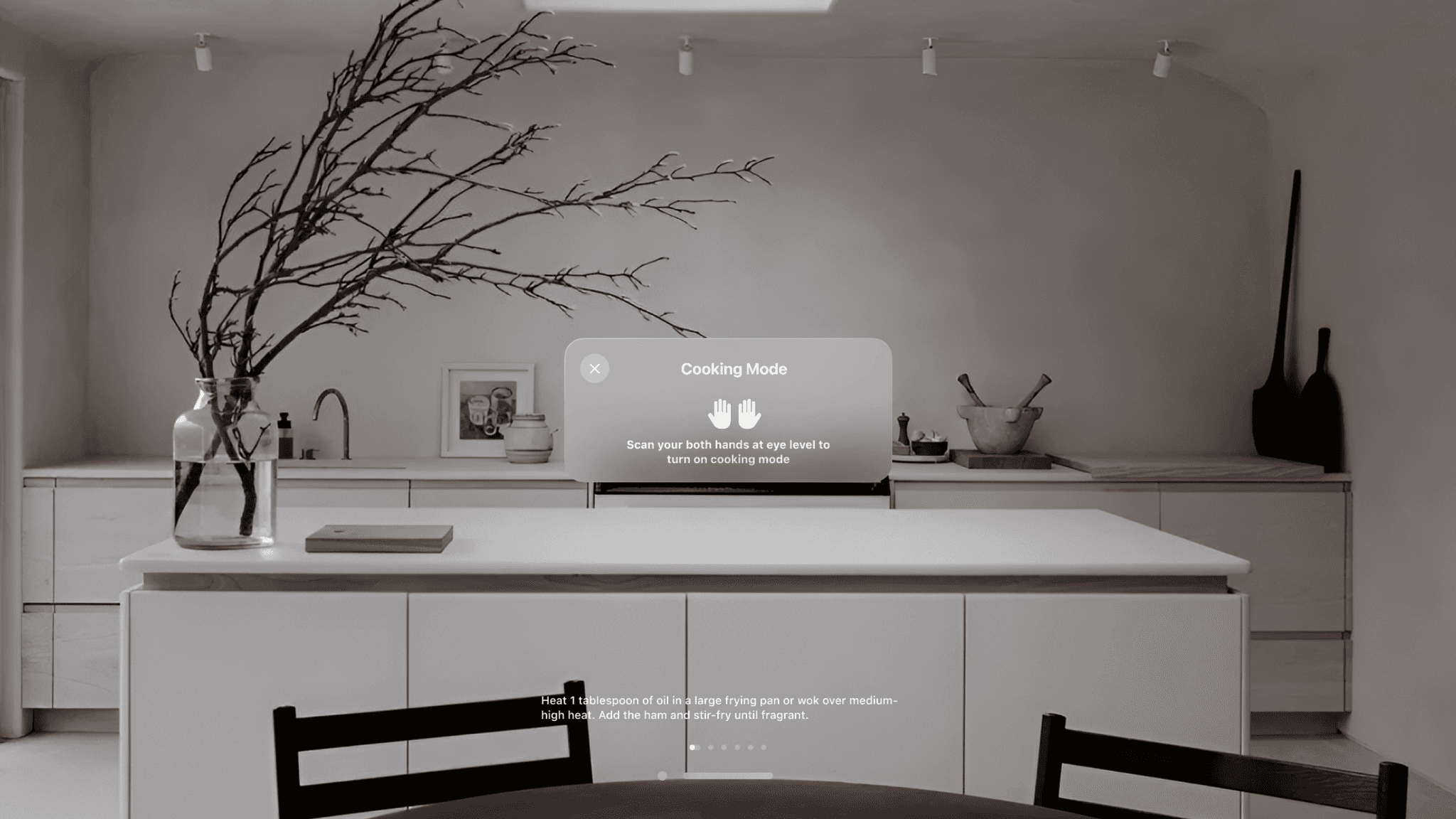
Hovering both hands at eye level activates cooking mode, streamlining the interface to display only procedure subtitles for seamless cooking. Repeating the gesture brings back the full interface.
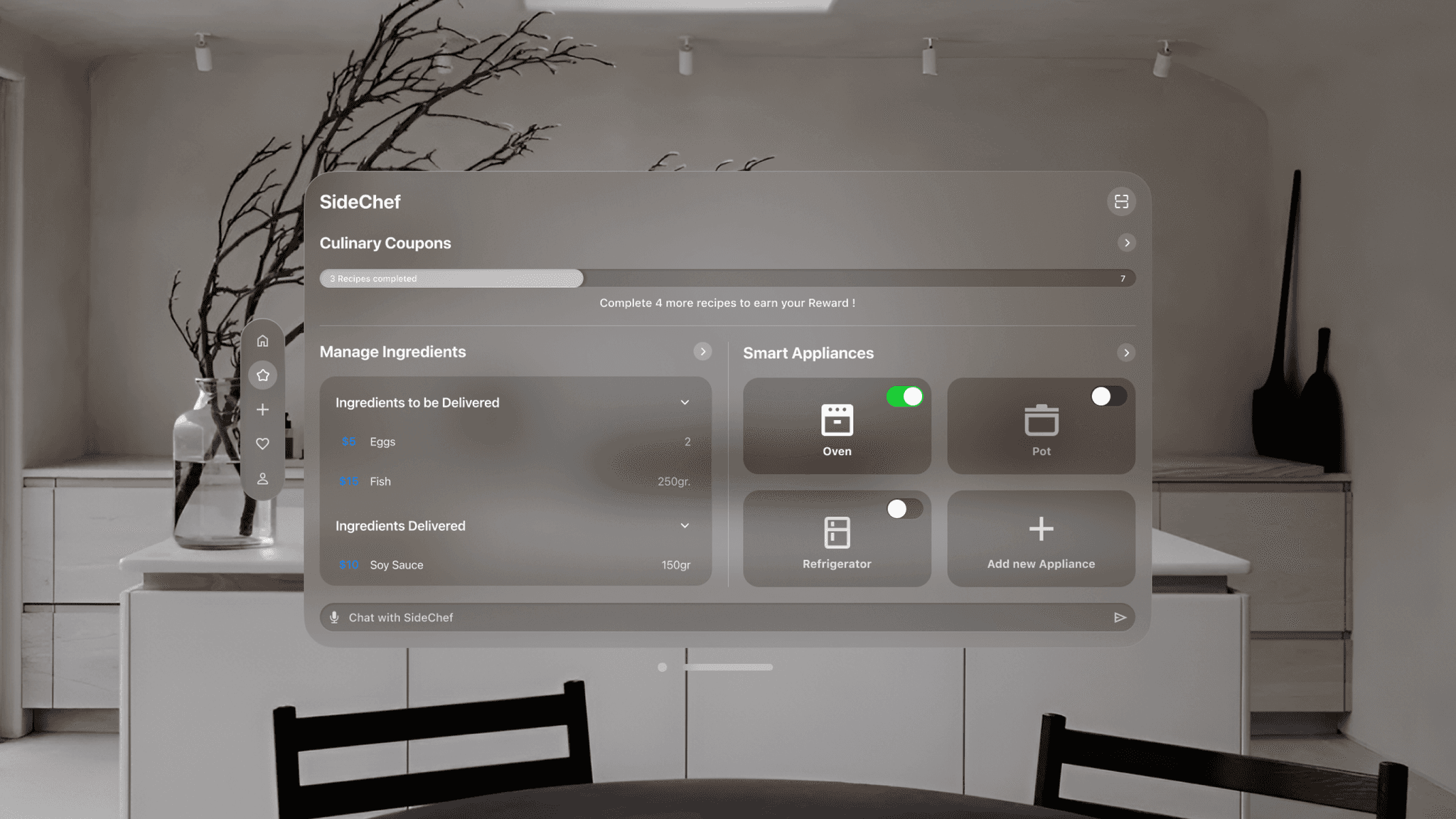
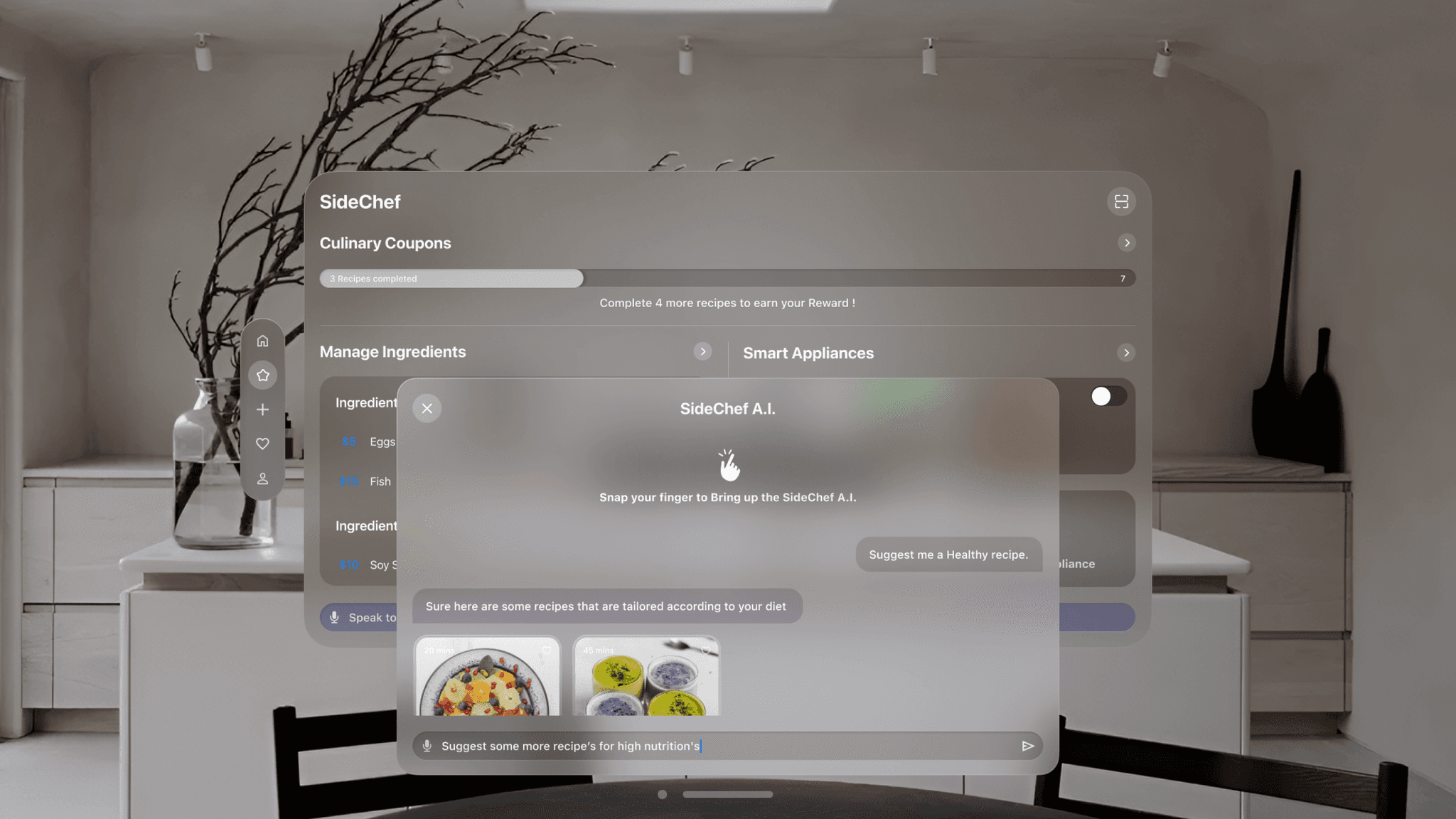
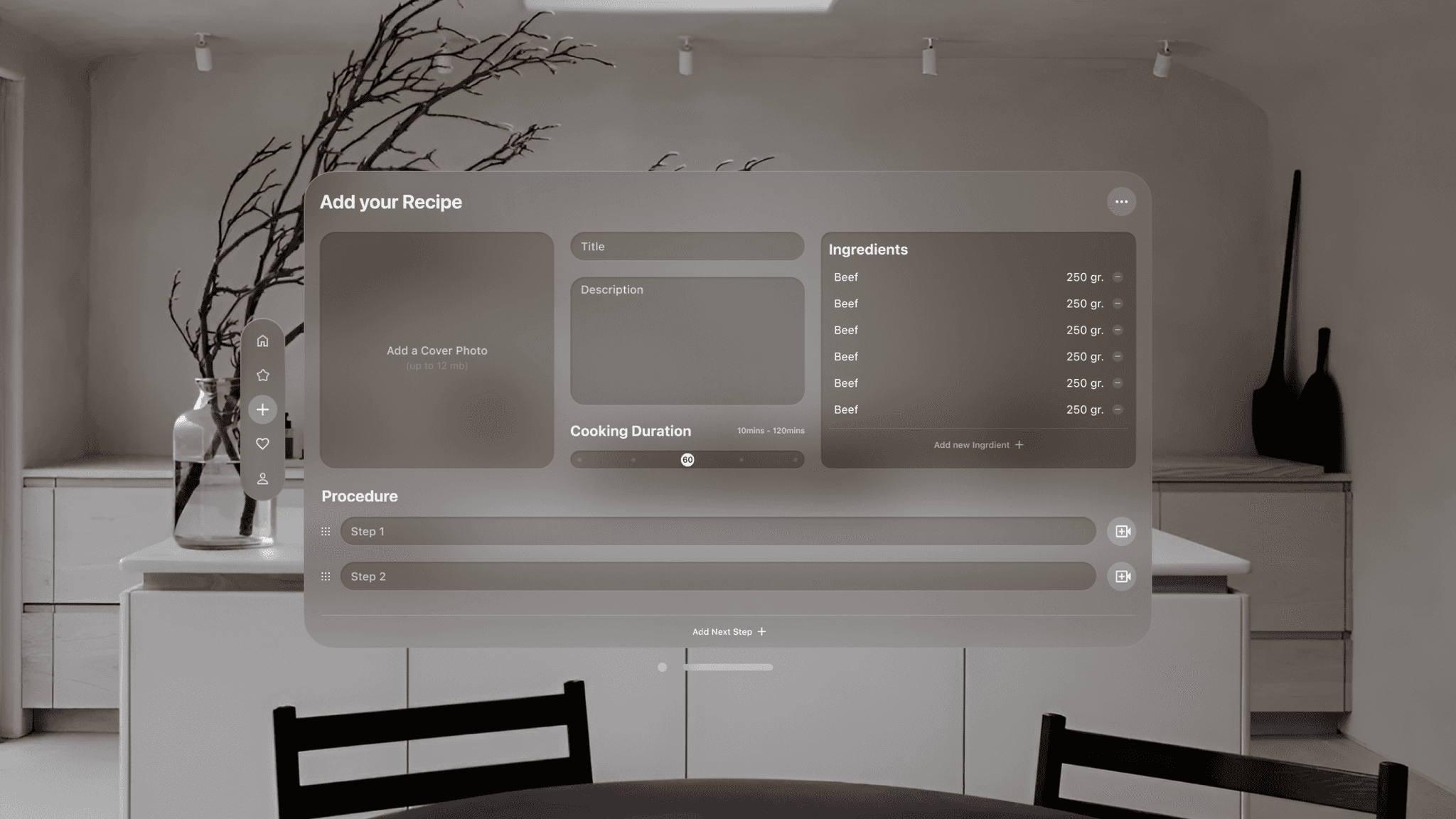
SideChef offers a feature-packed screen where users can scan food products for information, manage purchased ingredients, connect smart appliances, and benefit from seamless cooking with SideChef AI.
Snap your fingers, and SideChef AI appears instantly, ready to assist you anytime, anywhere. Users can also create and share their own recipes, fostering a delightful social experience.
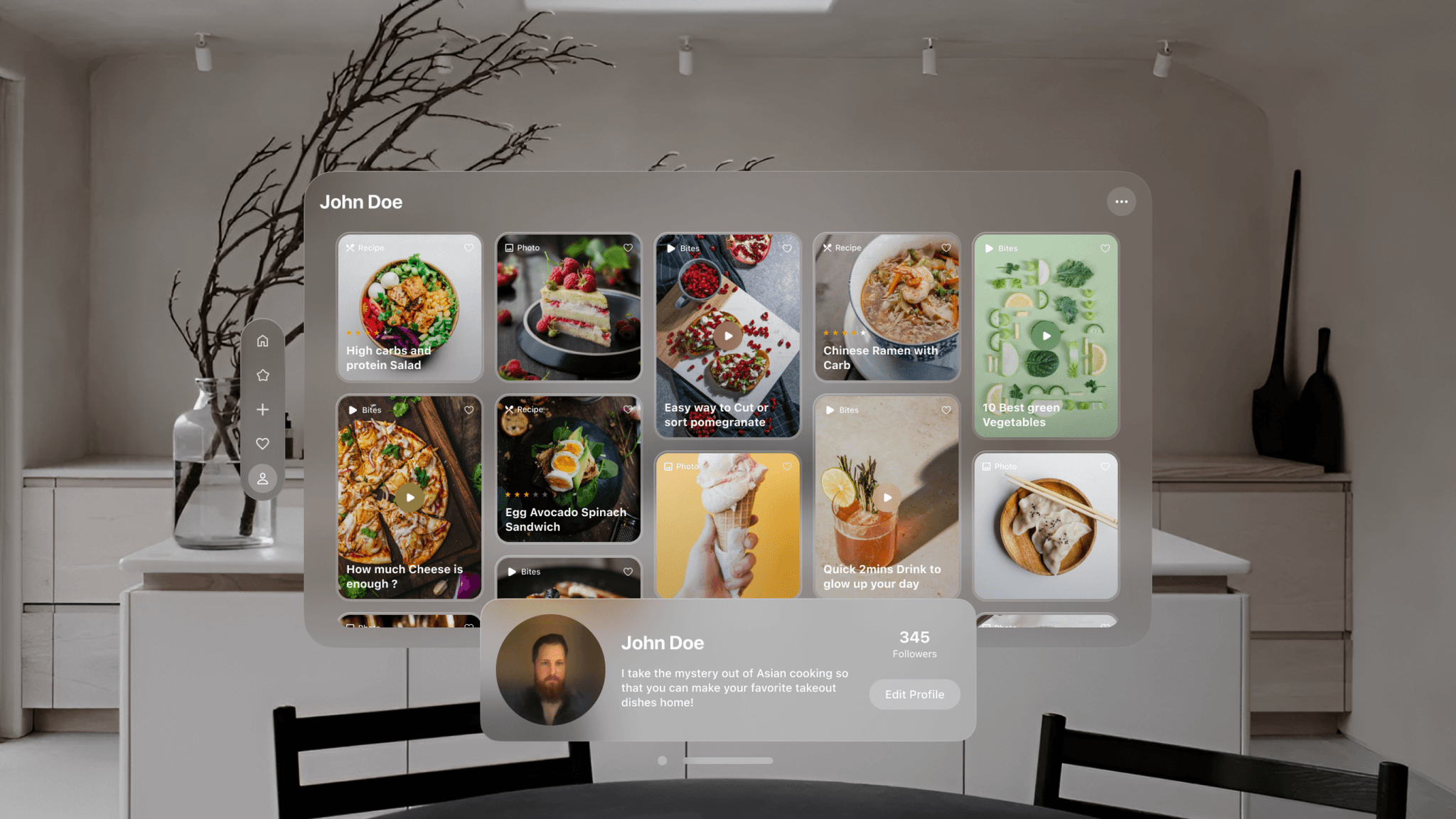
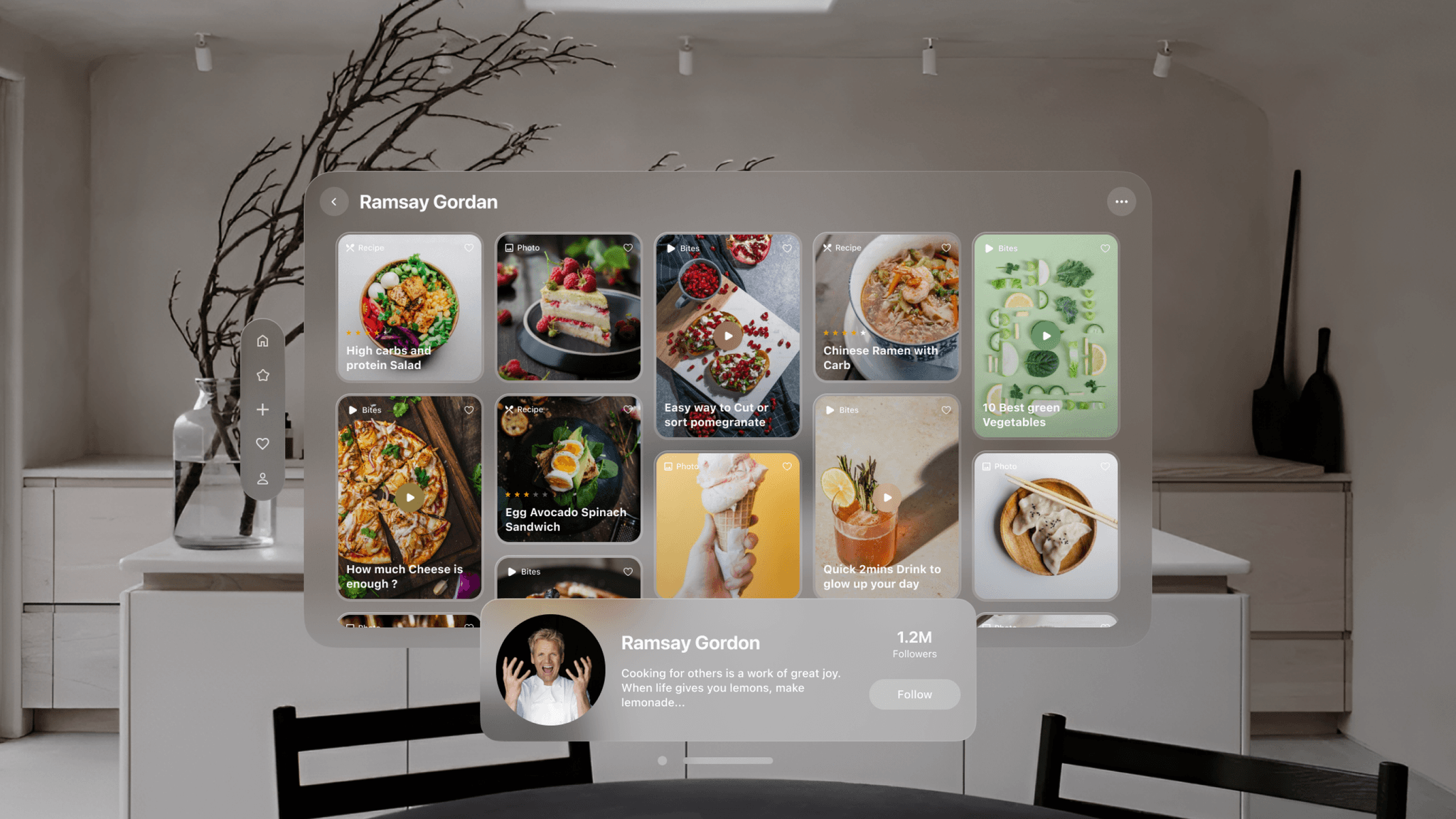
The User Accounts window, drawing inspiration from Instagram’s explore grid. Utilizing the VisionOS ornament, it offers a seamless seek UI where users can effortlessly access their settings and profile.
Redefining UX for Spatial Design
Adapting UI for AR interactions was crucial.
Accessibility
Navigation with voice and hand gestures gain deeper understanding of user-centered design, improve UI skills, apply research findings to design solutions
Future Aspect
3D Recipe Overlay instructions and ingredients superimposed on your workspace, guiding you through chopping, arranging, and cooking steps.