Improving Hotel Reservations: A User-Friendly Dashboard
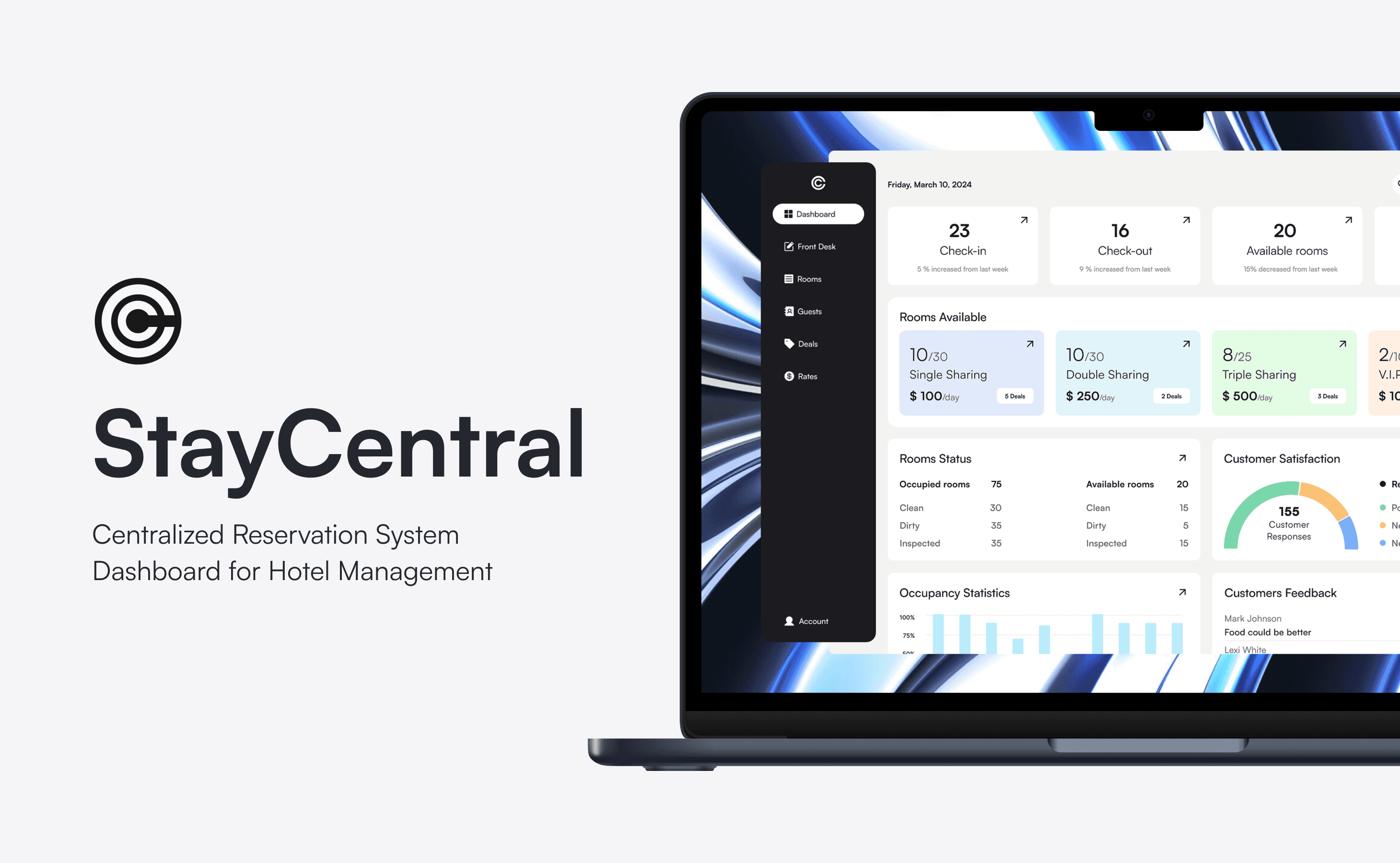
I led the UI/UX design for this project, focusing on creating an intuitive and efficient dashboard for hotel reservation management. The goal was to streamline operations, enhance guest satisfaction, and boost revenue for hotel chains.
Platform
Desktop
Skills
Product Design
UX Research
UI Design
My Role
Design Lead
Timeline
2 Weeks
25%
enhanced Decision-Making
30%
reducing manual errors and saving time
15%
increase in positive guest reviews.
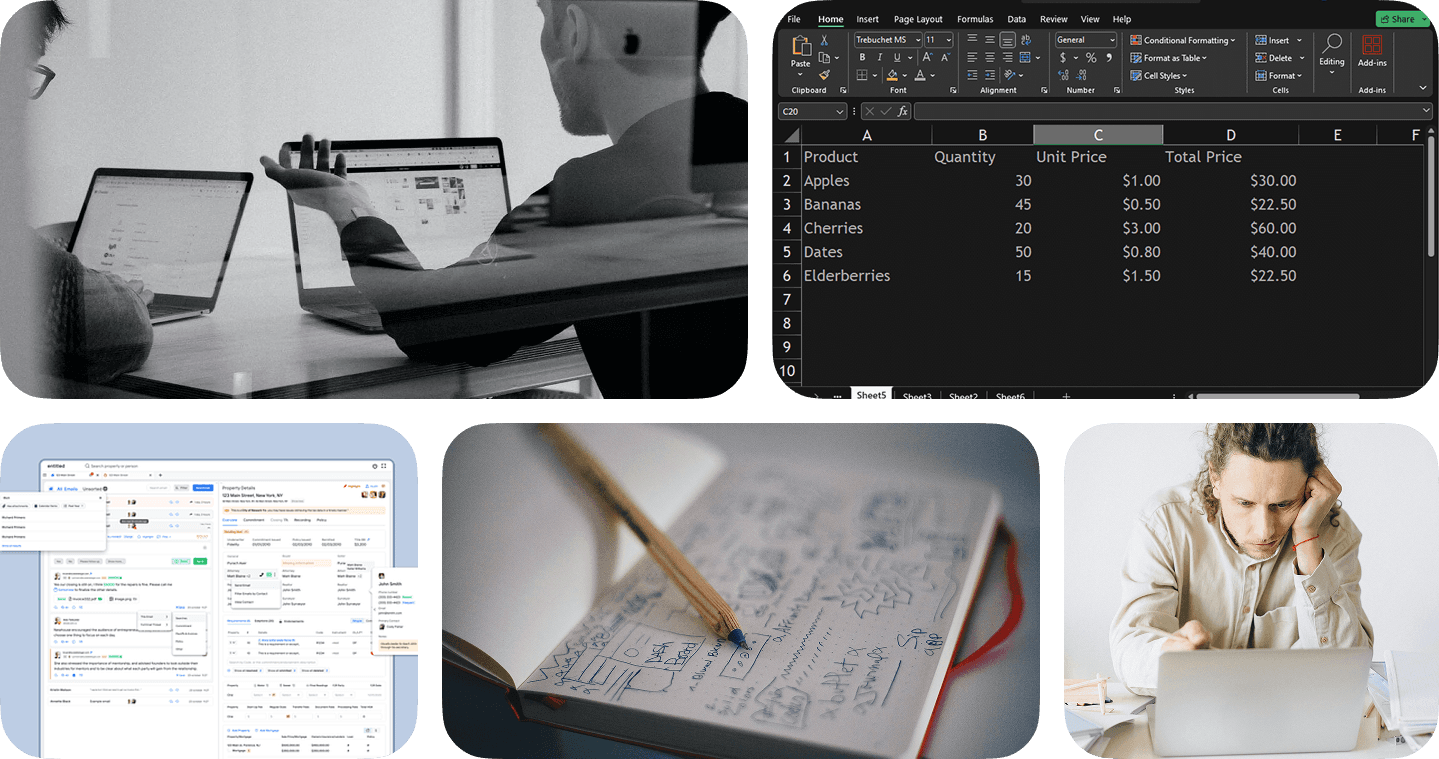
The hospitality industry is rapidly evolving, with an increasing emphasis on digitalization and guest satisfaction. However, many hotels still rely on outdated and inefficient reservation management systems, leading to challenges such as manual data entry, lack of real-time insights, and complex workflows.
My Design Approach
In this project, I adopted a user-centered design approach, focusing on creating an intuitive and efficient dashboard for hotel reservation management. The goal was to streamline operations, enhance guest satisfaction, and boost revenue for hotel chains.
Challenges in the Industry
Manual Processes – Hotels rely on manual data entry, leading to inefficiencies and errors.
Lack of Real-time Data – Delays in accessing room availability and bookings cause overbookings and poor guest experiences.
Complex Workflows – Managing reservations across multiple channels is time-consuming and error-prone.
Limited Integration – Disconnected systems make it difficult to sync reservations and guest data, leading to inefficiencies.
Takeaways
The hospitality industry's reliance on outdated reservation systems leads to operational inefficiencies and diminished guest satisfaction, highlighting the need for a centralized, intuitive solution.
Key Findings
Complex Workflows
Lack of Real-time Data
Manual Processes
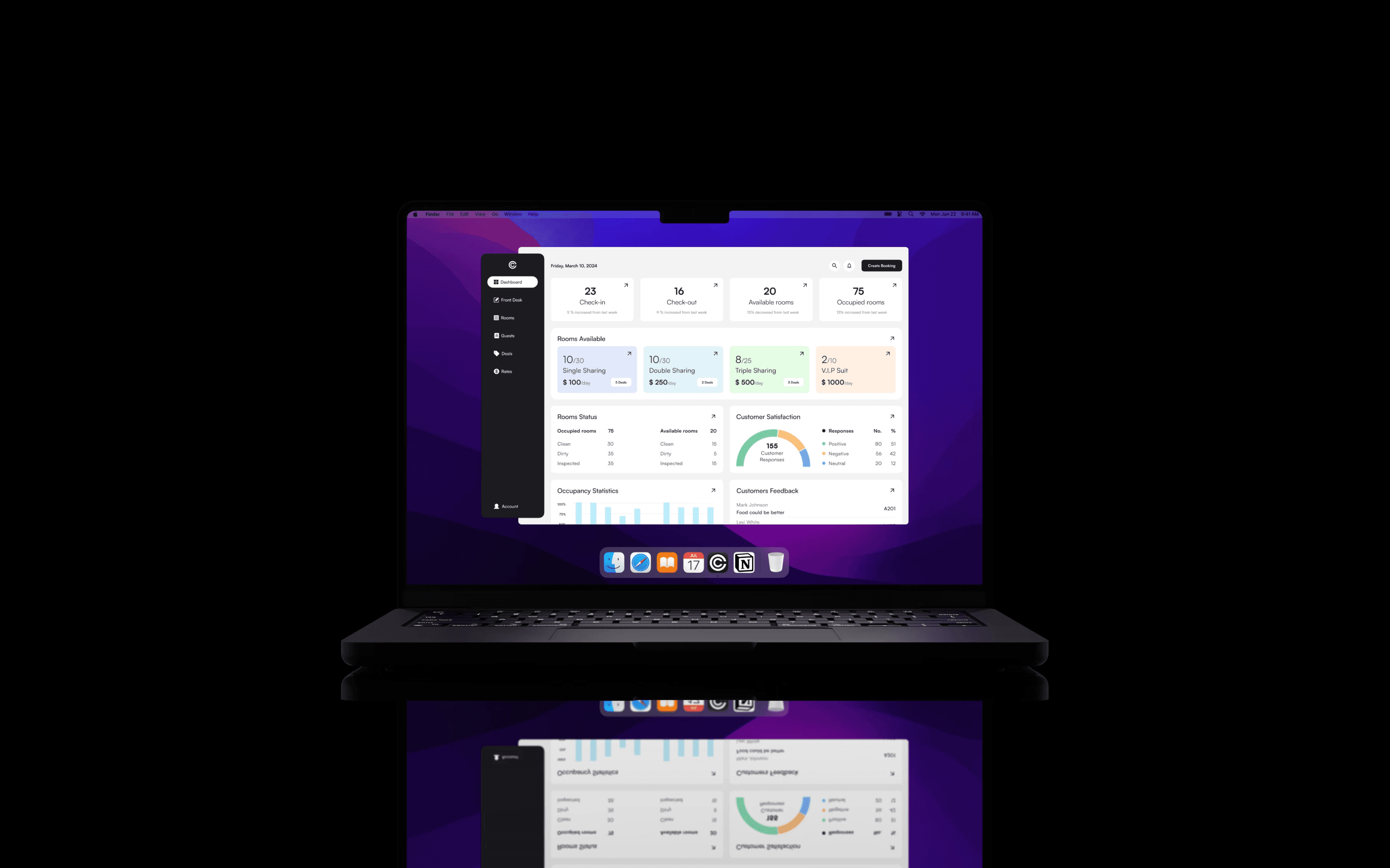
Stay Central A comprehensive dashboard uniting all reservation-related tasks into a single platform. A comprehensive dashboard uniting all reservation-related tasks into a single platform.
Key Features
Streamlined Reservation Management – Efficiently handle bookings from multiple channels in one place.
Real-time Data Access – Provide up-to-date information on room availability, guest details, and booking statuses.
Automated Processes – Reduce manual data entry through automation, minimizing errors and saving time.
User-friendly Interface – Intuitive design tailored to the needs of hotel staff for ease of use.
Why it Matters?
Stay Central simplifies reservation management by consolidating essential tasks into one dashboard, enhancing efficiency and improving the guest experience.
design process
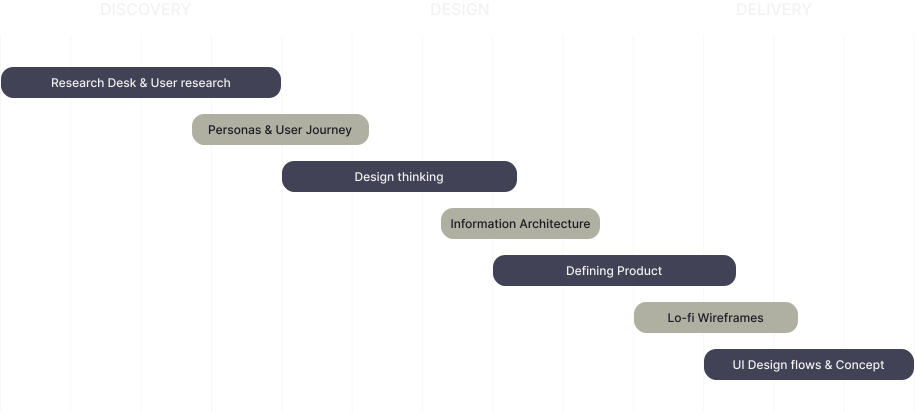
Following the design processes doesn't just give users an intuitive and pleasurable experience - it poses an opportunity for designers to iterate and improve their designs.
I conducted a thorough information from a manager within the industry. The goal was to identify pain points and design a seamless, transparent, and User-friendly Platform.
Primary Research
Discussion with a Hotel Manager.
Top pain Points
1 – Time-consuming manual data entry.
2 – Difficulty accessing real-time booking information.
3 – Managing reservations from multiple channels is cumbersome.
Secondary Research
Reviewed current trends in hotel management and the adoption of digital tools
Trends
Increased focus on digital solutions to enhance operational efficiency.
Growing demand for real-time data access to improve decision-making.
Current systems address basic reservation needs but often lack user-friendly interfaces and advanced features that enhance efficiency.
Gaps Identified
Lack of intuitive design leading to steep learning curves.
Limited real-time data integration.
Inadequate automation of routine tasks.
I establish the essential design goals & key features based on the research data gathered from my interview & research analyses. These will become my focus points when planning the designs for this project.
Defining the Ideal User
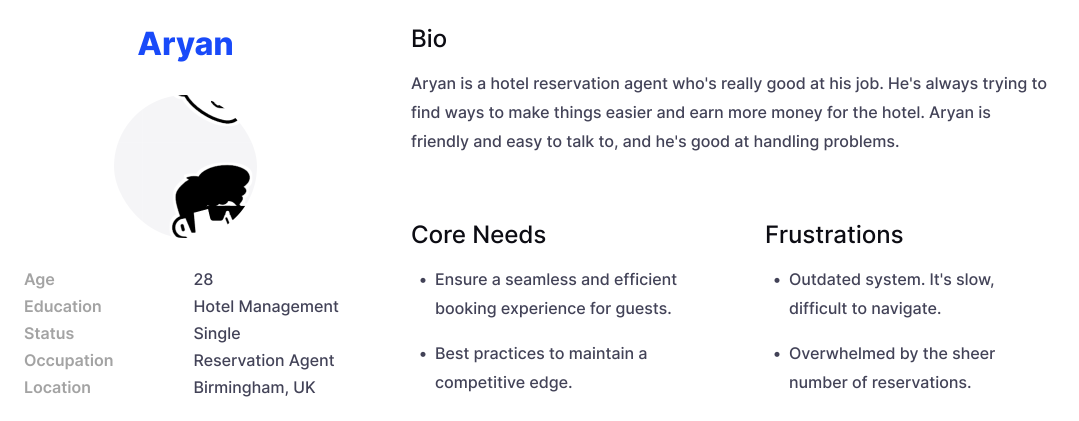
User Persona
I created a user persona to represent the ideal car care app user, based on insights. By synthesizing this data, the persona reflects user preferences, challenges, and behaviors, ensuring a more focused and effective design solution.
Mapping the User Expierence
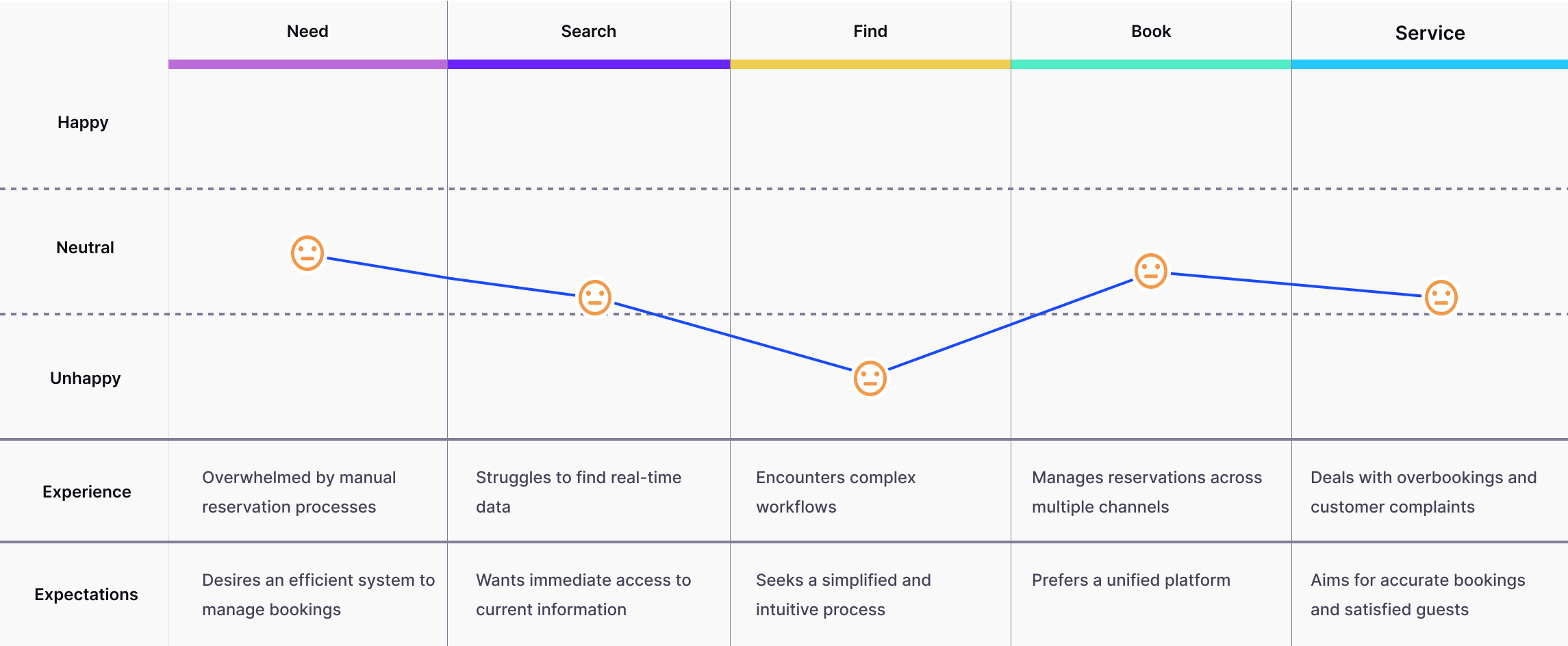
User Journey
I mapped how user navigate booking reservations, identifying pain points and emotional highs and lows. This helped refine the design for better usability, trust, and overall experience.
After digging into the niche, I had a direction to follow. So I did make an MVP with essential features. The features include handle reservation, optimize the operation of check in and check out, serving guest with better and faster responses, offers and discounts, multiple hotel sync.
Thinking Process
UX
Comprehensive Dashboard - Provide a detailed dashboard that displays real-time info on room availability, occupancy rates, and performance.
Reservation Management - Enable users to easily create, modify, and cancel reservations, as well as manage check-in and check-outs.
Customer Feedback Portal - Integrate a customer feedback portal to collect and analyze guest reviews and ratings.
UI
Intuitive Interface - Designing a clean and intuitive interface that was easy for hotel management staff to navigate.
Data Visualization - Developing effective data visualizations to present complex information in a clear and understandable manner.
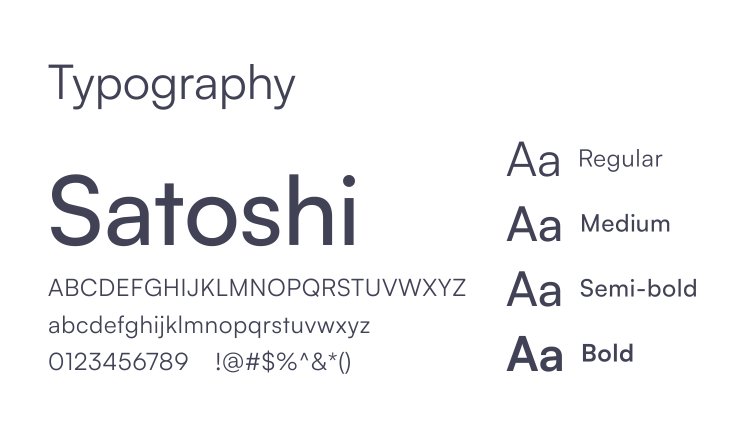
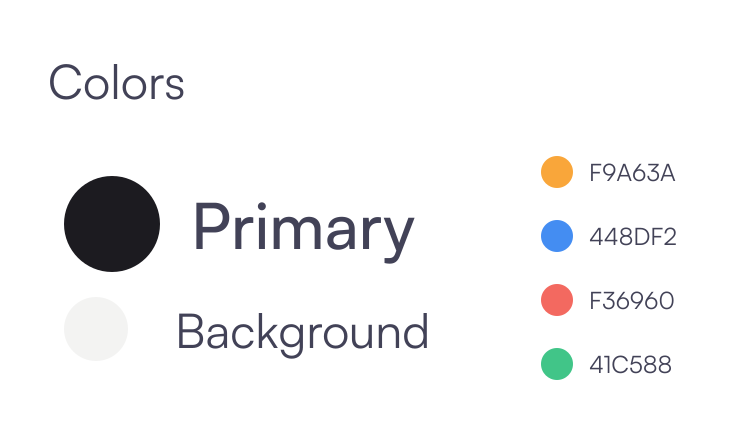
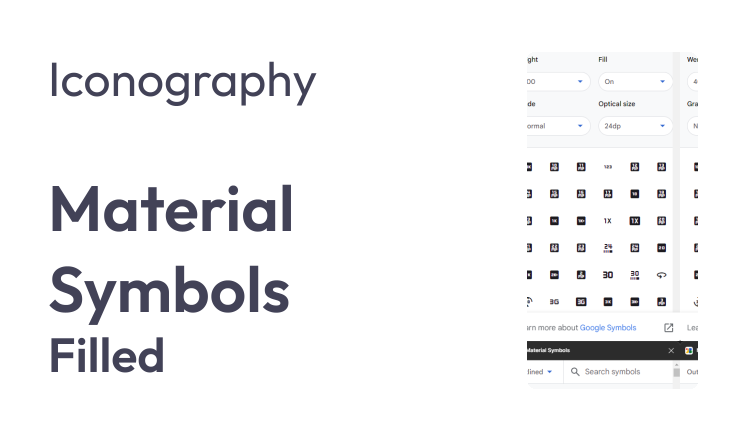
Consistent UI Components - Maintains uniform typography, buttons, and icons for a cohesive look.
Creating a Blueprint
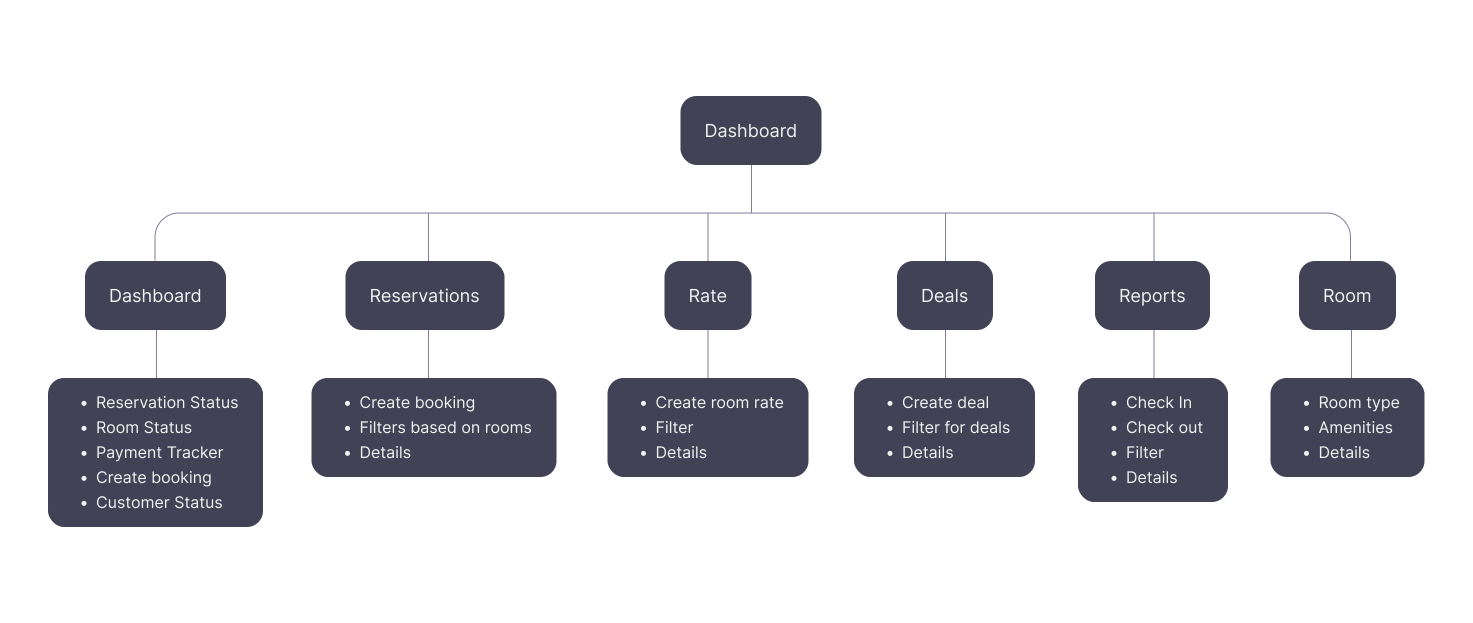
Site Map
Based on the key features I mapped out where the main information & others should be located on the platform & how they need to be connected.
design Goal
Flexible
Seamlessly adapt to variable level of information
Simple
Clean out the Clutter, and help users complete their task
Unified
Maintain uniform elements across different modules.
The experience review helped us define our focus areas for creating this newly platform.
From Wireframes – Low Fidelities – Iterations – High Fidelities – Final Screens
Style Guide
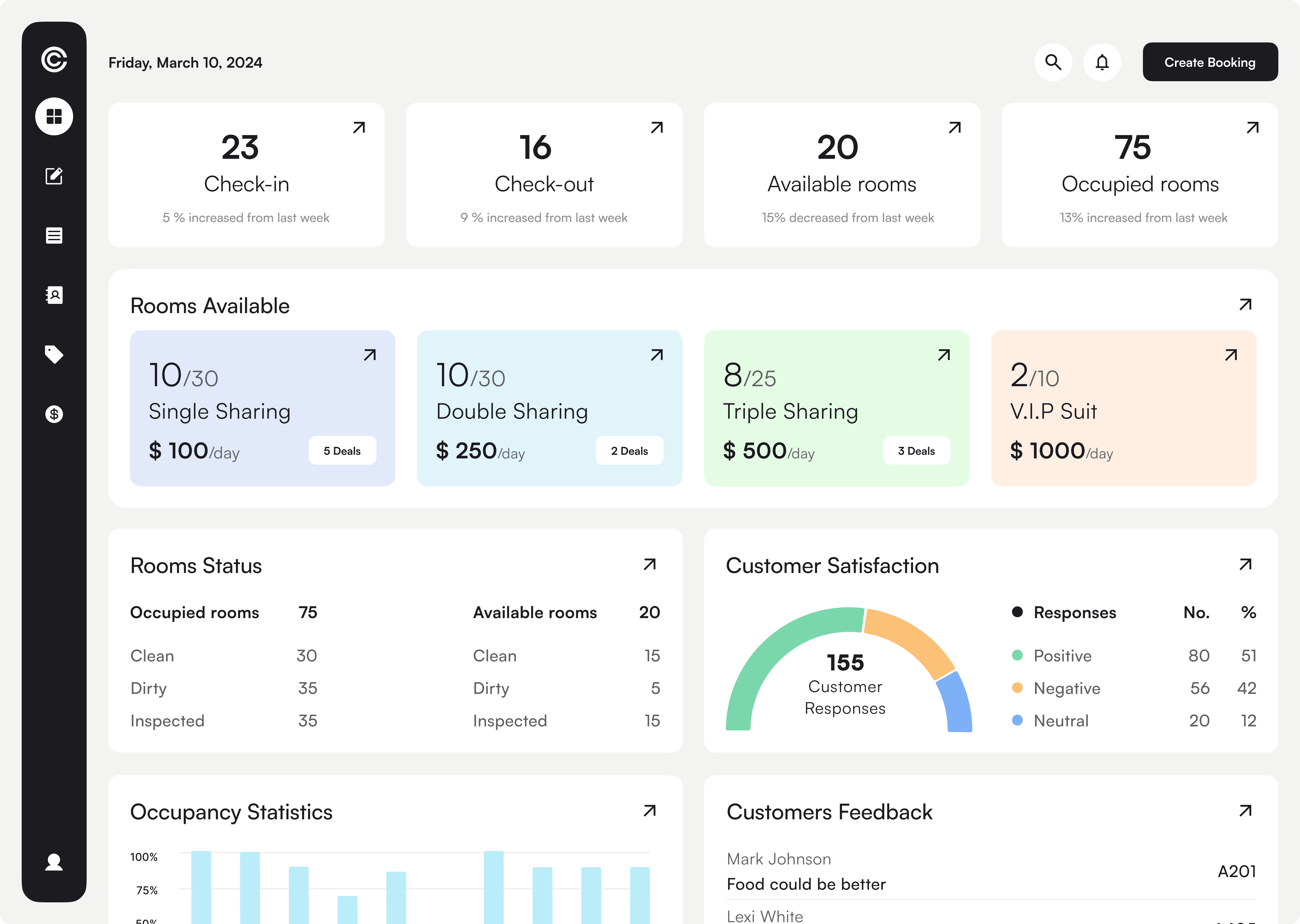
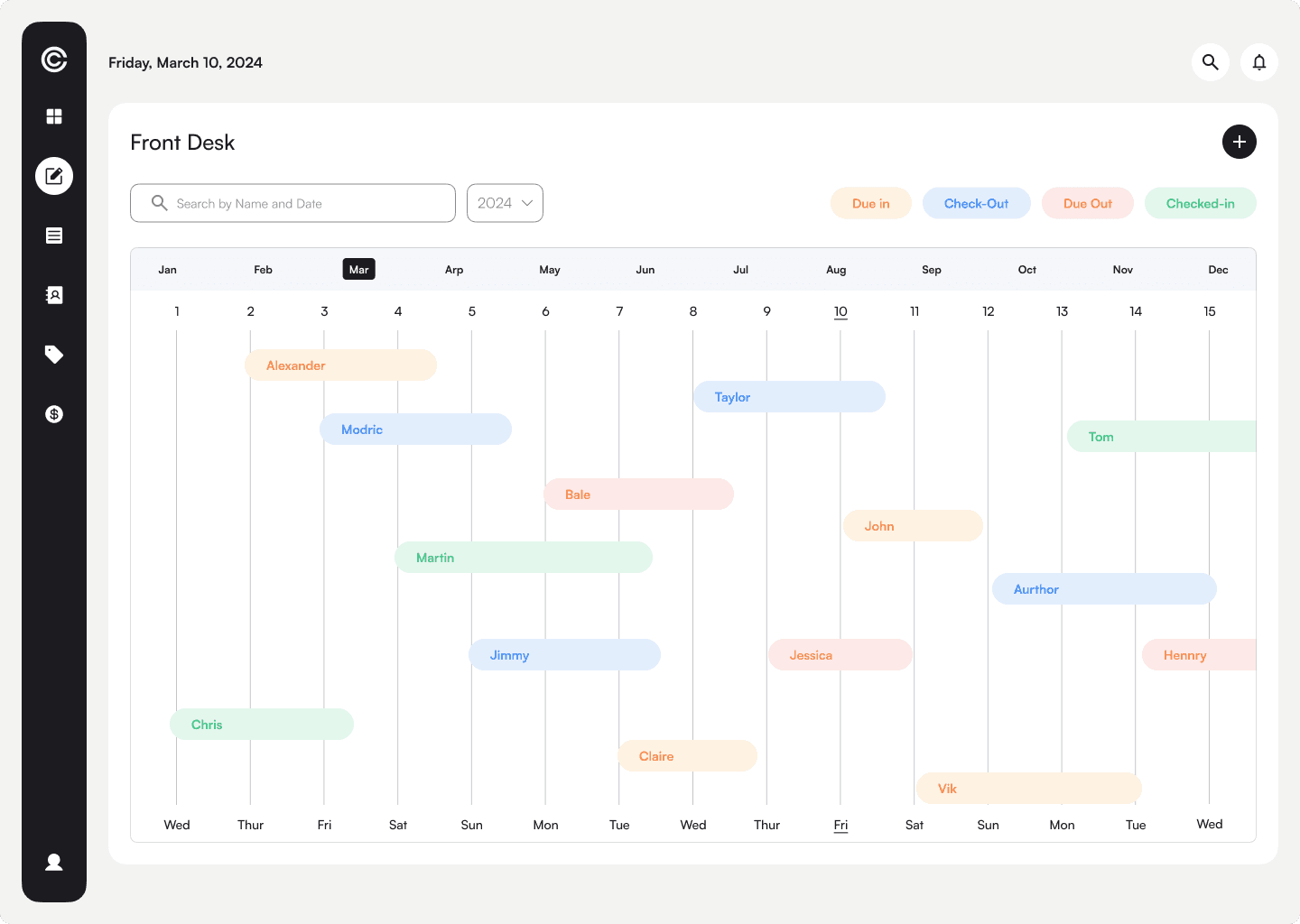
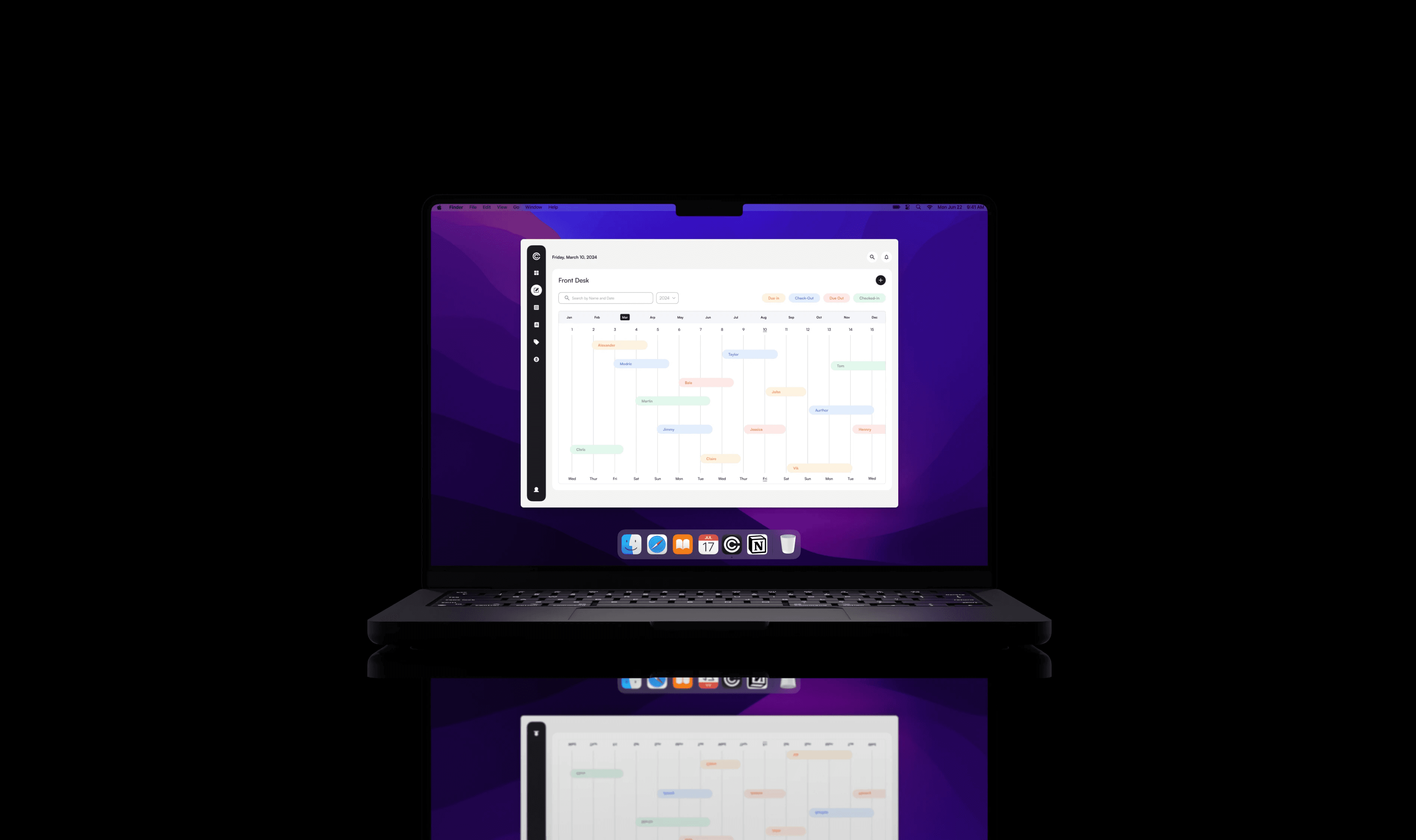
The reservation screen displays hotel reservations. It is also known as the front desk, and it is where the user can make changes to the balance amount, nights stayed, and discounts for the payer. New reservations may also be made.
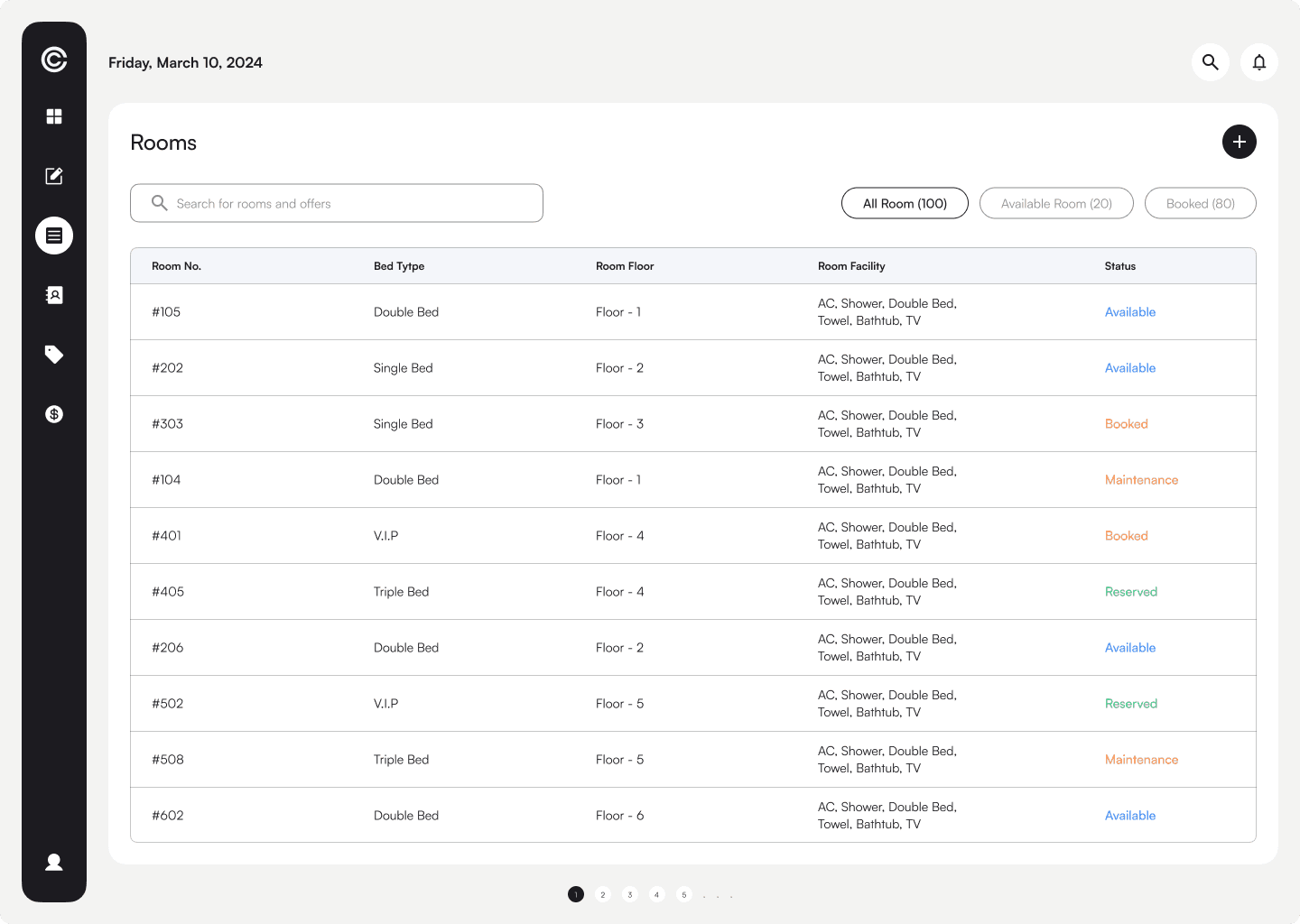
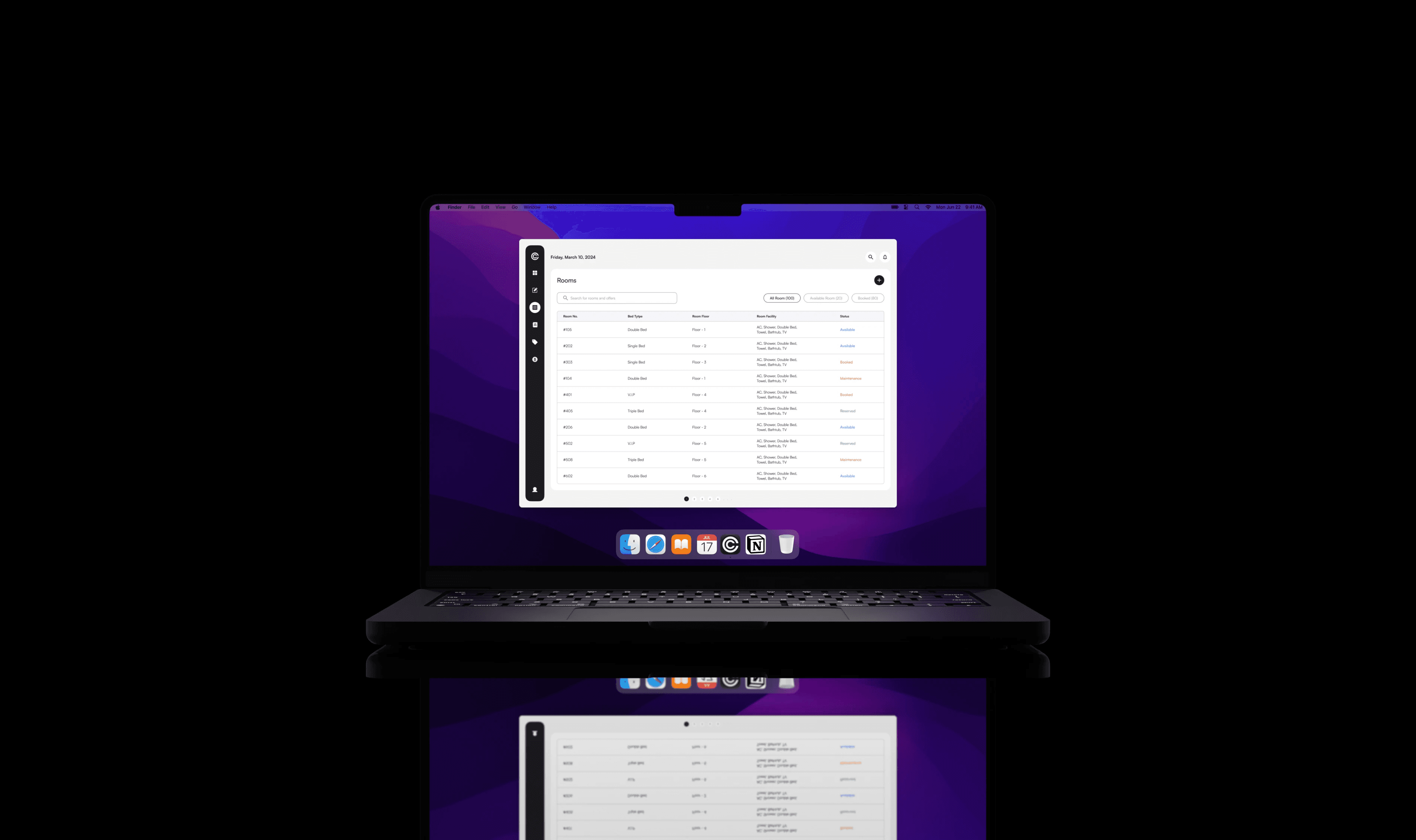
This screen contains information about each room's occupancy limit, room quantity, and amenities. A new room type can also be added, and an existing room can be edited.
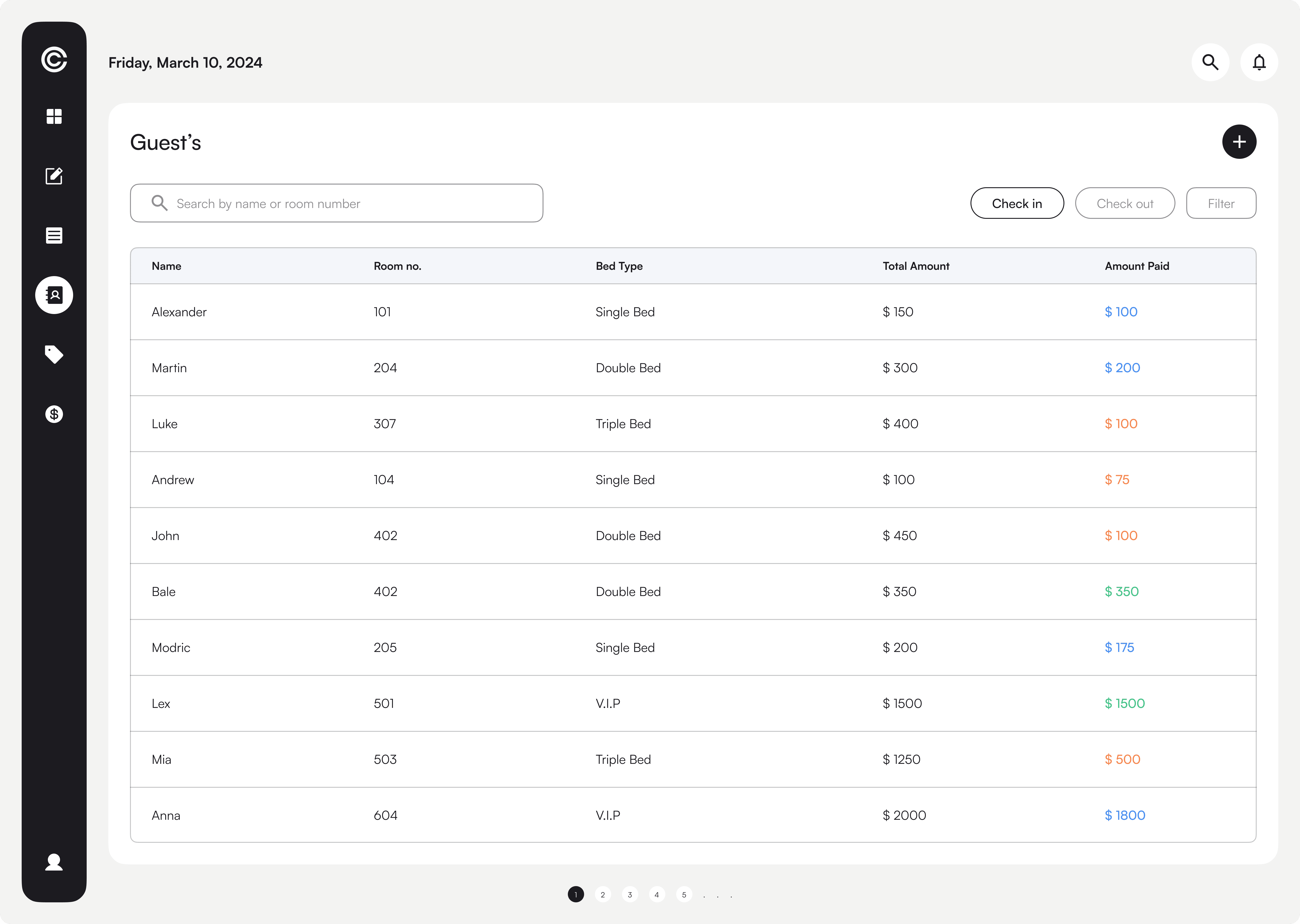
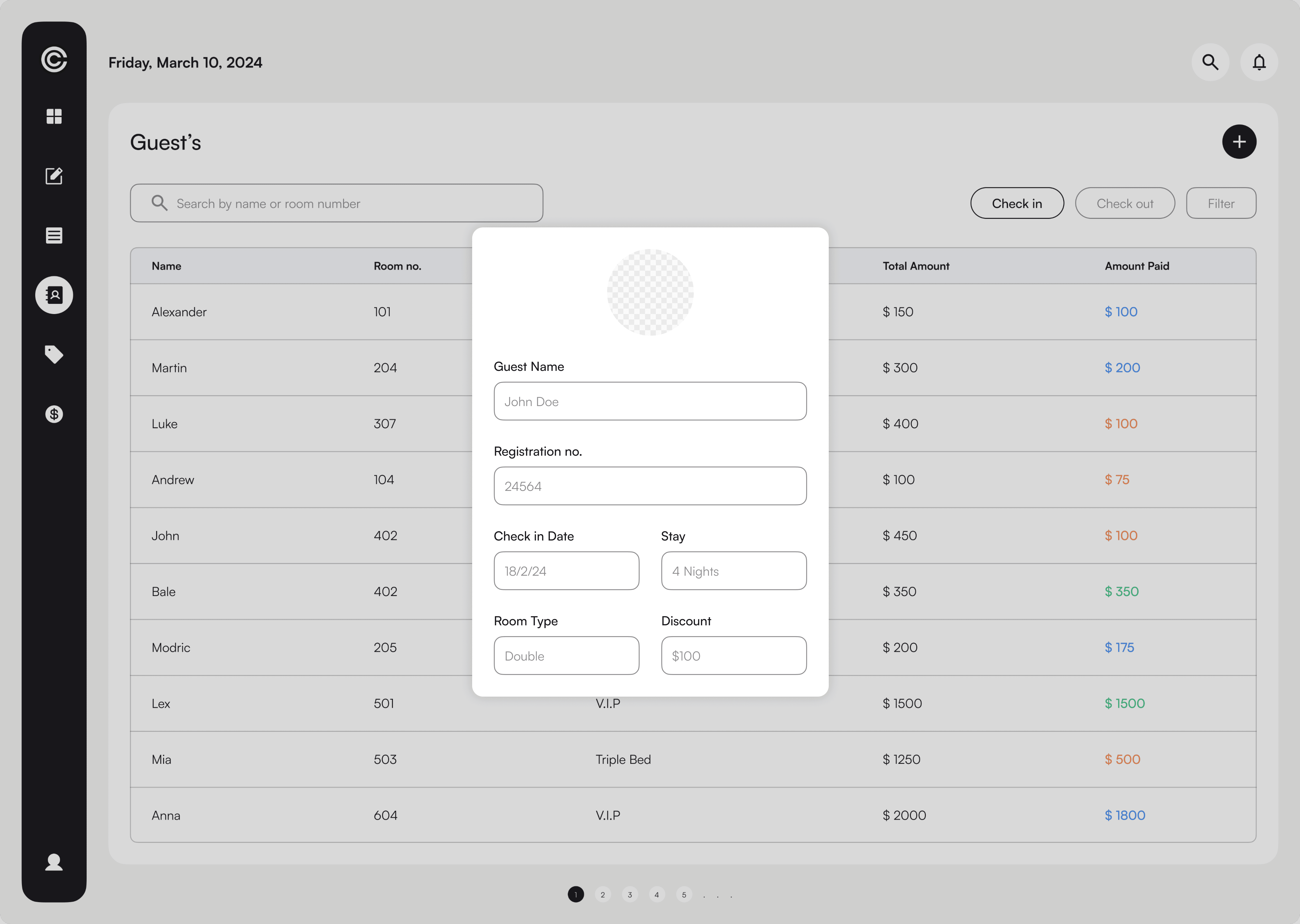
The report screen is divided into two tabs: check in and check out. Users can easily navigate through each tab to learn about the reservations due amount, check-in date, ID, and number of nights. The report screen also includes a filter option where details such as room type, check-in date, and rate type can be filtered.
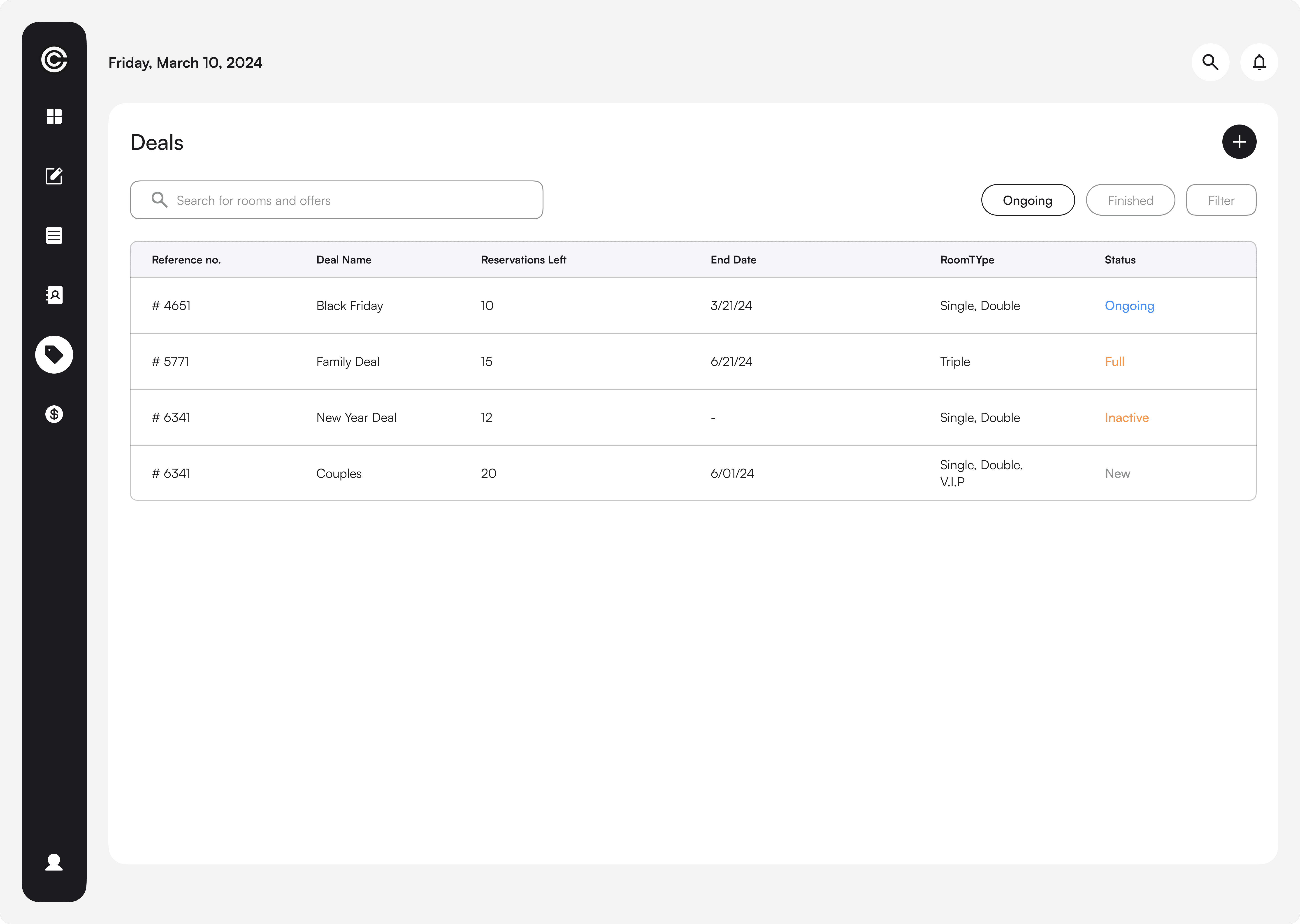
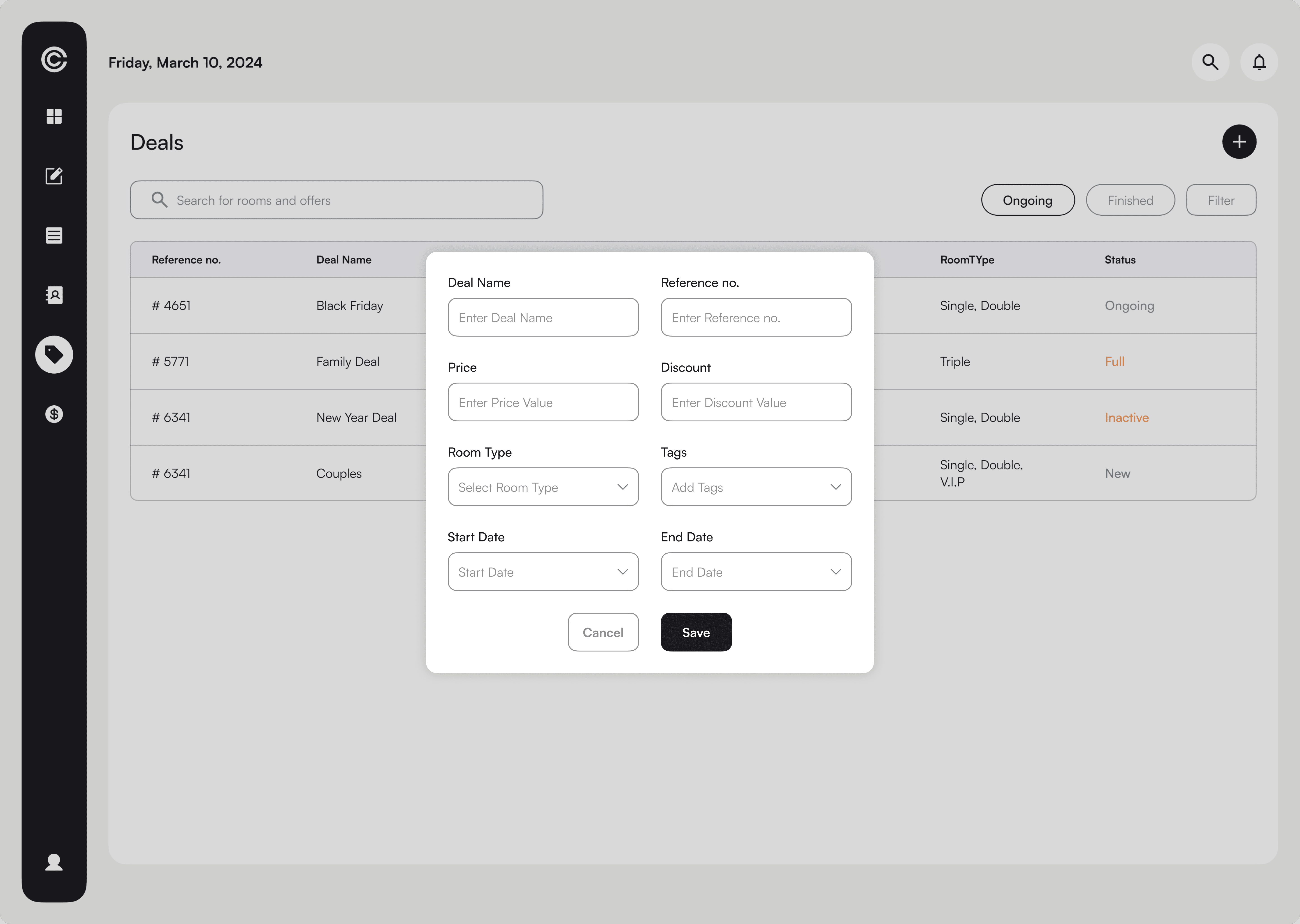
The Deals screen includes the deal name, number, and status for easy identification of whether the deal is finished or not, as well as the price of the deal. It includes basic information about ongoing and completed transactions. A new deal could be added.
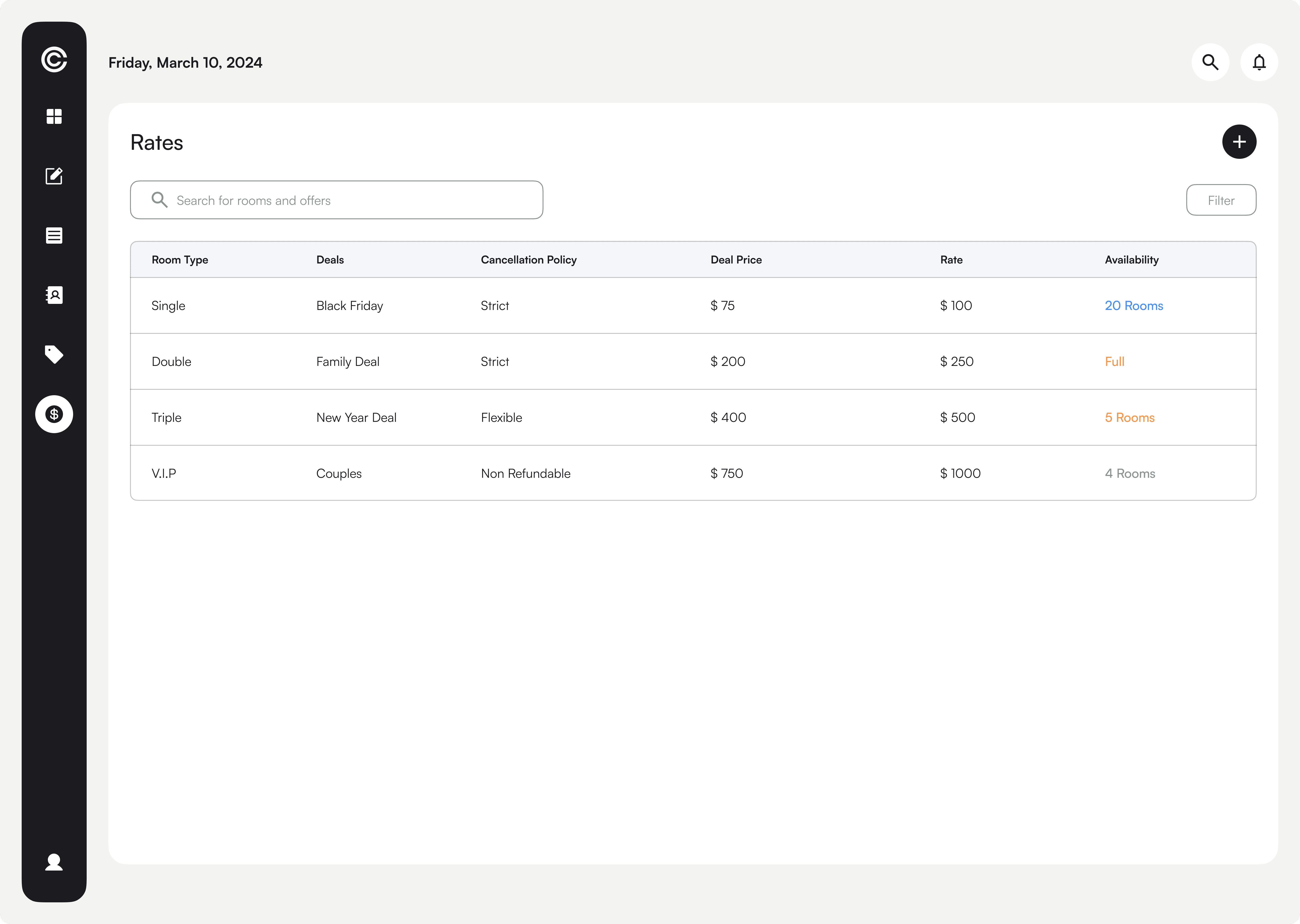
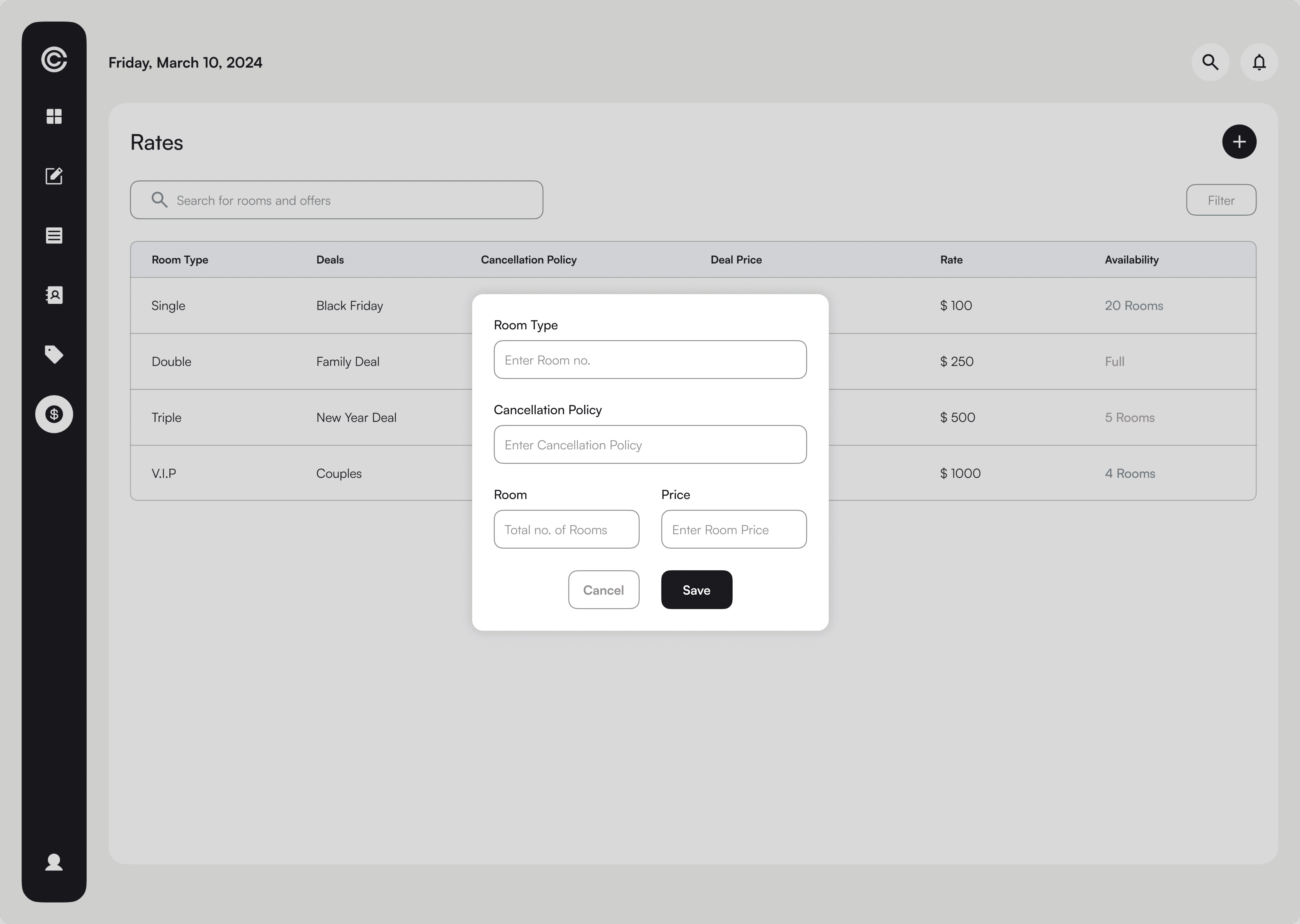
The rate screen includes room type, deals, availability, and room price for easy user navigation whether the room is available or not.
This information can also be filtered by room type, deal name, and cancellation policy. A new rate could be added as well.
Importance of User Research
Conducting thorough user research is essential for understanding the target audience and their specific needs.
Iterative Design
Continuously iterating on the design based on feedback is crucial for creating a user-friendly product.
Effective Data Visualization
Clear and concise data visualization is essential for presenting complex information in a meaningful way.